SketchUp is the leading 3D modeling platform trusted by architects, engineers, planners, and builders worldwide. Its intuitive interface and professional-grade tools make it easy to create, visualize, and share designs—from quick conceptual sketches to detailed, build-ready models.
With an ecosystem that includes 3D Warehouse, Extension Warehouse, Trimble Connect, and Scan Essentials, SketchUp enables government agencies and public-sector organizations to streamline workflows, collaborate securely, and accelerate project delivery. Whether for urban planning, infrastructure, education, or facilities management, SketchUp helps teams design with precision, improve stakeholder communication, and deliver sustainable, high-performing projects.
With SketchUp, agencies can:
Support Sustainable Outcomes – Model and analyze building performance, material use, and energy efficiency to optimize designs for long-term sustainability. This helps agencies minimize environmental impact while meeting community goals.
Includes:
Includes:
Includes:
Includes:
Evaluate building energy, daylighting, comfort, emissions, and more.
SketchUp Pro is designed for professionals who need advanced design, documentation, and collaboration tools. SketchUp Pro offers a powerful desktop application, full 2D documentation through LayOut, and expanded file import/export capabilities to work seamlessly with CAD and BIM workflows. Pro helps agencies reduce rework, improve project transparency, and deliver designs that meet compliance and community expectations.
Key Capabilities:
SketchUp for Desktop is the full-featured professional 3D modeling solution for AEC professionals. Available on both Windows and macOS, it includes BIM compatibility, LayOut integration, file format versatility, and location-based tools. Government users benefit from complete workflow support—from schematic design to permitting and construction documentation—within a single, scalable application.
LayOut is a robust 2D documentation tool linked directly to SketchUp’s 3D environment. It enables the creation of scaled construction drawings, annotated diagrams, and presentation sheets. Changes made in the SketchUp model update automatically in LayOut, ensuring documentation remains accurate and up-to-date. SketchUp Overview Page Public-sector teams rely on LayOut for generating permit-ready documentation, regulatory submissions, and formal design reviews.
SketchUp for iPad brings 3D modeling to mobile devices with Apple Pencil support, intuitive gesture controls, and cloud project sync. It also includes real-world model placement via AR and supports LiDAR-based spatial capture. For public works teams, urban planners, and site inspectors, it offers flexible access to design tools from the field or during remote collaboration.
SketchUp for Web is a browser-based version of the SketchUp modeling platform. It supports 3D modeling, access to 3D Warehouse, and cloud-based file storage without any software installation. Ideal for distributed government teams, agencies, and stakeholders, it enables real-time design collaboration, version-safe editing, and instant access to the latest modeling tools from any device.
Trimble Connect is a secure, cloud-based collaboration platform designed for sharing 3D models, 2D drawings, and project data. It includes version control, permission settings, issue tracking, threaded discussions, and compatibility with mixed reality devices. Government agencies and contractors rely on it for seamless communication across departments and project phases—from concept to construction.
The 3D Warehouse is a comprehensive online library of free 3D models and textures, tightly integrated with SketchUp. It features thousands of pre-built and configurable digital assets—including furniture, materials, and architectural elements—sourced from real-world product representations and digital assets. For public-sector projects, 3D Warehouse helps reduce modeling time, improve accuracy, and ensure design consistency across departments or stakeholders by enabling teams to import approved components directly into SketchUp.
The SketchUp Extension Warehouse provides direct access to hundreds of thirdparty tools that enhance the core capabilities of SketchUp. These include plugins for advanced rendering, file format conversion, productivity, cost estimation, energy modeling, and 3D printing. Government agencies and contractors use these extensions to tailor workflows to specific mission-critical, regulatory, and project delivery needs—all managed within the SketchUp desktop interface.
PreDesign is a browser-based analysis tool that offers early-stage environmental and climate data before modeling begins. It uses weather, solar, and geographic data to generate insights into shading, daylighting, glazing strategies, and thermal comfort. Architects and planners in government agencies use PreDesign to align conceptual designs with climate-responsive strategies, helping improve sustainability and reduce design risk.
SketchUp Viewer for Mobile enables users to view, navigate, and present models on iOS devices with multi-touch controls. Integrated with Trimble Connect and cloud storage, the app allows access to live project files from anywhere. Augmented Reality (AR) mode allows users to place 3D models into real-world environments for stakeholder presentations or on-site design validation, making it ideal for public infrastructure walkthroughs, remote inspections, or community planning outreach.
SketchUp ProScan combines point cloud data with intuitive, powerful 3D modeling tools. Turn scanned data into precise deliverables for as-built documentation, 3D feasibility studies, clash detection, site coordination, and visualization. This is a Windows-only offering.
Key Capabilities:
SketchUp for Desktop is the full-featured professional 3D modeling solution for AEC professionals. Available on both Windows and macOS, it includes BIM compatibility, LayOut integration, file format versatility, and location-based tools. Government users benefit from complete workflow support—from schematic design to permitting and construction documentation—within a single, scalable application.
Scan Essentials is a powerful SketchUp extension for importing and modeling from point cloud data. It supports inputs from LiDAR, drone scans, and photogrammetry, enabling users to visualize, trace, measure, and mesh real-world site data. For government agencies and infrastructure planners, it provides a data-driven modeling foundation ideal for existing conditions modeling, asset mapping, and redevelopment projects.
LayOut is a robust 2D documentation tool linked directly to SketchUp’s 3D environment. It enables the creation of scaled construction drawings, annotated diagrams, and presentation sheets. Changes made in the SketchUp model update automatically in LayOut, ensuring documentation remains accurate and up-to-date. SketchUp Overview Page Public-sector teams rely on LayOut for generating permit-ready documentation, regulatory submissions, and formal design reviews.
SketchUp for iPad brings 3D modeling to mobile devices with Apple Pencil support, intuitive gesture controls, and cloud project sync. It also includes real-world model placement via AR and supports LiDAR-based spatial capture. For public works teams, urban planners, and site inspectors, it offers flexible access to design tools from the field or during remote collaboration.
SketchUp for Web is a browser-based version of the SketchUp modeling platform. It supports 3D modeling, access to 3D Warehouse, and cloud-based file storage without any software installation. Ideal for distributed government teams, agencies, and stakeholders, it enables real-time design collaboration, version-safe editing, and instant access to the latest modeling tools from any device.
Trimble Connect is a secure, cloud-based collaboration platform designed for sharing 3D models, 2D drawings, and project data. It includes version control, permission settings, issue tracking, threaded discussions, and compatibility with mixed reality devices. Government agencies and contractors rely on it for seamless communication across departments and project phases—from concept to construction.
The 3D Warehouse is a comprehensive online library of free 3D models and textures, tightly integrated with SketchUp. It features thousands of pre-built and configurable digital assets—including furniture, materials, and architectural elements—sourced from real-world product representations and digital assets. For public-sector projects, 3D Warehouse helps reduce modeling time, improve accuracy, and ensure design consistency across departments or stakeholders by enabling teams to import approved components directly into SketchUp.
The SketchUp Extension Warehouse provides direct access to hundreds of thirdparty tools that enhance the core capabilities of SketchUp. These include plugins for advanced rendering, file format conversion, productivity, cost estimation, energy modeling, and 3D printing. Government agencies and contractors use these extensions to tailor workflows to specific mission-critical, regulatory, and project delivery needs—all managed within the SketchUp desktop interface.
PreDesign is a browser-based analysis tool that offers early-stage environmental and climate data before modeling begins. It uses weather, solar, and geographic data to generate insights into shading, daylighting, glazing strategies, and thermal comfort. Architects and planners in government agencies use PreDesign to align conceptual designs with climate-responsive strategies, helping improve sustainability and reduce design risk.
SketchUp Viewer for Mobile enables users to view, navigate, and present models on iOS devices with multi-touch controls. Integrated with Trimble Connect and cloud storage, the app allows access to live project files from anywhere. Augmented Reality (AR) mode allows users to place 3D models into real-world environments for stakeholder presentations or on-site design validation, making it ideal for public infrastructure walkthroughs, remote inspections, or community planning outreach.
SketchUp Pro Advanced Workflows is a robust toolset, focusing on data interoperability, precision modeling, and collaboration. Connect point cloud and Revit imports to deliver complete projects. This is a Windows-only offering.
Key Capabilities:
SketchUp for Desktop is the full-featured professional 3D modeling solution for AEC professionals. Available on both Windows and macOS, it includes BIM compatibility, LayOut integration, file format versatility, and location-based tools. Government users benefit from complete workflow support—from schematic design to permitting and construction documentation—within a single, scalable application.
Scan Essentials is a powerful SketchUp extension for importing and modeling from point cloud data. It supports inputs from LiDAR, drone scans, and photogrammetry, enabling users to visualize, trace, measure, and mesh real-world site data. For government agencies and infrastructure planners, it provides a data-driven modeling foundation ideal for existing conditions modeling, asset mapping, and redevelopment projects.
The Revit Importer allows users to convert RVT files into native SketchUp models— no Revit license required. It retains BIM data, material assignments, and hierarchical structure, making it easier for multi-disciplinary teams to collaborate across platforms. This is especially useful in public-sector projects where interoperability between BIM and 3D modeling environments is critical to project delivery and document fidelity.
V-Ray for SketchUp is a high-performance rendering engine that creates photorealistic visuals with support for ray tracing, global illumination, physical materials, and advanced lighting effects. It also offers cloud rendering and VR outputs. Public-sector architects and designers use V-Ray to produce compelling visuals for public engagement, design reviews, and stakeholder presentations.
LayOut is a robust 2D documentation tool linked directly to SketchUp’s 3D environment. It enables the creation of scaled construction drawings, annotated diagrams, and presentation sheets. Changes made in the SketchUp model update automatically in LayOut, ensuring documentation remains accurate and up-to-date. SketchUp Overview Page Public-sector teams rely on LayOut for generating permit-ready documentation, regulatory submissions, and formal design reviews.
SketchUp for iPad brings 3D modeling to mobile devices with Apple Pencil support, intuitive gesture controls, and cloud project sync. It also includes real-world model placement via AR and supports LiDAR-based spatial capture. For public works teams, urban planners, and site inspectors, it offers flexible access to design tools from the field or during remote collaboration.
SketchUp for Web is a browser-based version of the SketchUp modeling platform. It supports 3D modeling, access to 3D Warehouse, and cloud-based file storage without any software installation. Ideal for distributed government teams, agencies, and stakeholders, it enables real-time design collaboration, version-safe editing, and instant access to the latest modeling tools from any device.
Trimble Connect is a secure, cloud-based collaboration platform designed for sharing 3D models, 2D drawings, and project data. It includes version control, permission settings, issue tracking, threaded discussions, and compatibility with mixed reality devices. Government agencies and contractors rely on it for seamless communication across departments and project phases—from concept to construction.
The 3D Warehouse is a comprehensive online library of free 3D models and textures, tightly integrated with SketchUp. It features thousands of pre-built and configurable digital assets—including furniture, materials, and architectural elements—sourced from real-world product representations and digital assets. For public-sector projects, 3D Warehouse helps reduce modeling time, improve accuracy, and ensure design consistency across departments or stakeholders by enabling teams to import approved components directly into SketchUp.
The SketchUp Extension Warehouse provides direct access to hundreds of thirdparty tools that enhance the core capabilities of SketchUp. These include plugins for advanced rendering, file format conversion, productivity, cost estimation, energy modeling, and 3D printing. Government agencies and contractors use these extensions to tailor workflows to specific mission-critical, regulatory, and project delivery needs—all managed within the SketchUp desktop interface.
PreDesign is a browser-based analysis tool that offers early-stage environmental and climate data before modeling begins. It uses weather, solar, and geographic data to generate insights into shading, daylighting, glazing strategies, and thermal comfort. Architects and planners in government agencies use PreDesign to align conceptual designs with climate-responsive strategies, helping improve sustainability and reduce design risk.
SketchUp Viewer for Mobile enables users to view, navigate, and present models on iOS devices with multi-touch controls. Integrated with Trimble Connect and cloud storage, the app allows access to live project files from anywhere. Augmented Reality (AR) mode allows users to place 3D models into real-world environments for stakeholder presentations or on-site design validation, making it ideal for public infrastructure walkthroughs, remote inspections, or community planning outreach.
SketchUp Studio delivers the most complete solution for customers with complex projects requiring advanced visualization and data integration. Studio includes everything in Pro, plus powerful tools like V-Ray for photorealistic rendering, Scan Essentials for working directly with point-cloud data, and a Revit Importer for BIM interoperability. These capabilities enable users to evaluate designs more thoroughly, improve collaboration across disciplines, and accelerate project delivery while meeting sustainability and compliance goals.
Key Capabilities:
SketchUp for Desktop is the full-featured professional 3D modeling solution for AEC professionals. Available on both Windows and macOS, it includes BIM compatibility, LayOut integration, file format versatility, and location-based tools. Government users benefit from complete workflow support—from schematic design to permitting and construction documentation—within a single, scalable application.
Scan Essentials is a powerful SketchUp extension for importing and modeling from point cloud data. It supports inputs from LiDAR, drone scans, and photogrammetry, enabling users to visualize, trace, measure, and mesh real-world site data. For government agencies and infrastructure planners, it provides a data-driven modeling foundation ideal for existing conditions modeling, asset mapping, and redevelopment projects.
The Revit Importer allows users to convert RVT files into native SketchUp models—no Revit license required. It retains BIM data, material assignments, and hierarchical structure, making it easier for multi-disciplinary teams to collaborate across platforms. This is especially useful in public-sector projects where interoperability between BIM and 3D modeling environments is critical to project delivery and document fidelity.
V-Ray for SketchUp is a high-performance rendering engine that creates photorealistic visuals with support for ray tracing, global illumination, physical materials, and advanced lighting effects. It also offers cloud rendering and VR outputs. Public-sector architects and designers use V-Ray to produce compelling visuals for public engagement, design reviews, and stakeholder presentations.
LayOut is a robust 2D documentation tool linked directly to SketchUp’s 3D environment. It enables the creation of scaled construction drawings, annotated diagrams, and presentation sheets. Changes made in the SketchUp model update automatically in LayOut, ensuring documentation remains accurate and up-to-date. SketchUp Overview Page Public-sector teams rely on LayOut for generating permit-ready documentation, regulatory submissions, and formal design reviews.
SketchUp for iPad brings 3D modeling to mobile devices with Apple Pencil support, intuitive gesture controls, and cloud project sync. It also includes real-world model placement via AR and supports LiDAR-based spatial capture. For public works teams, urban planners, and site inspectors, it offers flexible access to design tools from the field or during remote collaboration.
SketchUp for Web is a browser-based version of the SketchUp modeling platform. It supports 3D modeling, access to 3D Warehouse, and cloud-based file storage without any software installation. Ideal for distributed government teams, agencies, and stakeholders, it enables real-time design collaboration, version-safe editing, and instant access to the latest modeling tools from any device.
Trimble Connect is a secure, cloud-based collaboration platform designed for sharing 3D models, 2D drawings, and project data. It includes version control, permission settings, issue tracking, threaded discussions, and compatibility with mixed reality devices. Government agencies and contractors rely on it for seamless communication across departments and project phases—from concept to construction.
The 3D Warehouse is a comprehensive online library of free 3D models and textures, tightly integrated with SketchUp. It features thousands of pre-built and configurable digital assets—including furniture, materials, and architectural elements—sourced from real-world product representations and digital assets. For public-sector projects, 3D Warehouse helps reduce modeling time, improve accuracy, and ensure design consistency across departments or stakeholders by enabling teams to import approved components directly into SketchUp.
The SketchUp Extension Warehouse provides direct access to hundreds of thirdparty tools that enhance the core capabilities of SketchUp. These include plugins for advanced rendering, file format conversion, productivity, cost estimation, energy modeling, and 3D printing. Government agencies and contractors use these extensions to tailor workflows to specific mission-critical, regulatory, and project delivery needs—all managed within the SketchUp desktop interface.
PreDesign is a browser-based analysis tool that offers early-stage environmental and climate data before modeling begins. It uses weather, solar, and geographic data to generate insights into shading, daylighting, glazing strategies, and thermal comfort. Architects and planners in government agencies use PreDesign to align conceptual designs with climate-responsive strategies, helping improve sustainability and reduce design risk.
SketchUp Viewer for Mobile enables users to view, navigate, and present models on iOS devices with multi-touch controls. Integrated with Trimble Connect and cloud storage, the app allows access to live project files from anywhere. Augmented Reality (AR) mode allows users to place 3D models into real-world environments for stakeholder presentations or on-site design validation, making it ideal for public infrastructure walkthroughs, remote inspections, or community planning outreach.
Sefaira is a high-performance building analysis tool—powered by Trimble—that lets architects, engineers, and sustainability consultants evaluate building energy, daylighting, comfort, and emissions early in the design process. Integrated as a plugin for SketchUp (and Revit), it delivers real-time feedback so you can test different design strategies, compare options, and optimize performance when it matters most.
SketchUp Enterprise delivers the core functionality of SketchUp Pro to customers requiring limited or zero connectivity. Extending SketchUp Enterprise to your end users is streamlined and efficient, with complete high-side provisioning available. Scan Essentials is also available offline for SketchUp Enterprise limited or zero connectivity environments. Please contact your Carahsoft Sales Professional for additional details.
Key Capabilities:
SketchUp for Desktop is the full-featured professional 3D modeling solution for AEC professionals. Available on both Windows and macOS, it includes BIM compatibility, LayOut integration, file format versatility, and location-based tools. Government users benefit from complete workflow support—from schematic design to permitting and construction documentation—within a single, scalable application.
LayOut is a robust 2D documentation tool linked directly to SketchUp’s 3D environment. It enables the creation of scaled construction drawings, annotated diagrams, and presentation sheets. Changes made in the SketchUp model update automatically in LayOut, ensuring documentation remains accurate and up-to-date. SketchUp Overview Page Public-sector teams rely on LayOut for generating permit-ready documentation, regulatory submissions, and formal design reviews.
The 3D Warehouse is a comprehensive online library of free 3D models and textures, tightly integrated with SketchUp. It features thousands of pre-built and configurable digital assets—including furniture, materials, and architectural elements—sourced from real-world product representations and digital assets. For public-sector projects, 3D Warehouse helps reduce modeling time, improve accuracy, and ensure design consistency across departments or stakeholders by enabling teams to import approved components directly into SketchUp.
The SketchUp Extension Warehouse provides direct access to hundreds of thirdparty tools that enhance the core capabilities of SketchUp. These include plugins for advanced rendering, file format conversion, productivity, cost estimation, energy modeling, and 3D printing. Government agencies and contractors use these extensions to tailor workflows to specific mission-critical, regulatory, and project delivery needs—all managed within the SketchUp desktop interface.
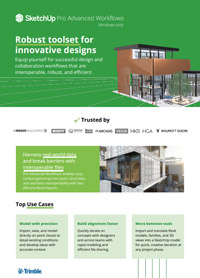
SketchUp Pro Advanced Workflows empowers design professionals with seamless interoperability, enabling precision modeling from point cloud data and smooth Revit integration. The platform includes powerful desktop, web, and mobile tools alongside cloud collaboration and third-party extensions, supporting efficient, visual design workflows from concept to presentation.
READ MORE >>
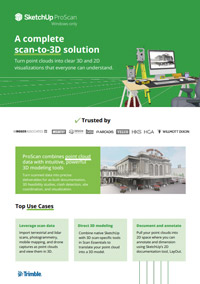
SketchUp ProScan turns point cloud data from scans and drone captures into precise, easy-to-understand 3D and 2D models for documentation and project coordination. It integrates powerful scan-specific tools within SketchUp to streamline modeling, annotation, and collaboration across teams.
READ MORE >>
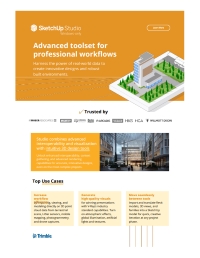
SketchUp Studio empowers government teams to design, visualize, and manage projects with precision and speed. With 3D modeling, point cloud integration, photorealistic rendering via V-Ray, and cloud collaboration through Trimble Connect, it streamlines workflows and helps agencies make smarter, data-driven decisions for infrastructure and public works projects.
READ MORE >>
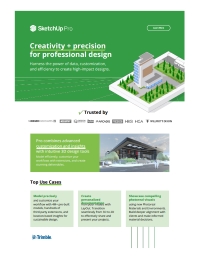
SketchUp Pro equips government teams with a flexible, precise 3D modeling platform to plan, design, and present projects efficiently. With a full-featured desktop modeler, browser- and iPad-based workspaces, LayOut for 2D documentation, and Trimble Connect for cloud collaboration, agencies can streamline workflows, access climate insights, and leverage pre-built models and extensions to create accurate, visually compelling designs for infrastructure and public works projects.
READ MORE >>