




Microsoft Copilot for the Public Sector
Microsoft Copilot helps government agencies boost productivity by leveraging AI to simplify operations, improve decision-making, and enhance constituent services. Built on Microsoft’s secure cloud and integrated with familiar tools, Copilot provides intelligent assistance that transforms how teams work. Copilot helps agencies work smarter and stay compliant by supporting tasks such as drafting documents, analyzing data, strengthening cybersecurity, and building custom AI workflows. It promotes collaboration, efficiency, and innovation across your organization with AI solutions ideal for the public sector end users.
Upcoming Events & Trainings
For inquiries about personalized demonstrations or training sessions, please register using the following link.

Microsoft 365 Copilot
Microsoft 365 Copilot Chat
Microsoft Security Copilot
Microsoft Copilot Studio
Microsoft 365 Copilot
Microsoft 365 Copilot is an AI-powered assistant designed to help public sector organizations, including U.S. federal agencies, work more efficiently. It brings advanced generative AI into everyday workflows to assist with drafting documents, analyzing data, summarizing meetings, and creating presentations within familiar Microsoft 365 applications. Copilot integrates seamlessly with your existing Microsoft 365 subscription, providing a secure and compliant way to enhance productivity.
Copilot is built on Large Language Models (LLMs) and powered by Microsoft Graph, which connects to your organization’s data such as emails, chats, meetings, and files. It is available as a license across Commercial, GCC, GCC-High, and DoD environments to meet federal compliance requirements. Administrators maintain control through Microsoft Purview, which enforces governance, compliance, and role-based access settings aligned with public sector security standards.
- Copilot App: A central workspace that combines chat, pages, and notebooks with AI-enhanced access to Microsoft 365 apps.
- Copilot Chat: Interactive AI chat grounded in your organization’s data for drafting and summarization tasks.
- Copilot Pages: Canvases for collaborative content creation.
- Agents: Customizable assistants that execute defined prompts, automate workflows, and query internal data sources.
Copilot works across Word, Excel, PowerPoint, Outlook, Teams, OneNote, and SharePoint. It helps draft and refine messages in Outlook and Teams, summarize meetings, and track action items. In Excel, it analyzes datasets and detects trends. In PowerPoint, it assists with creating slides and speaker notes. SharePoint users can automate site content generation and summarization to make collaboration more efficient.
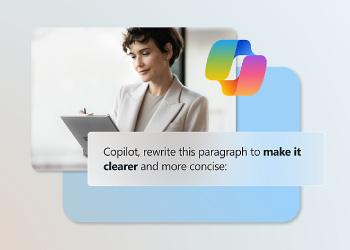
Microsoft 365 Copilot Chat
Unlike Microsoft 365 Copilot, Copilot Chat is not grounded in organizational content like files, emails, or chats as part of the chat experience; it is grounded in data from the web only. Copilot Chat still delivers a secure, enterprise-ready conversational experience embedded within Microsoft 365 and tailored for public sector use in GCC, GCC High, and DoD environments. It enables users to prompt Copilot, summarize content and gain insights without leaving their workflow. Copilot Chat uses advanced AI models to provide fast, context-aware assistance for government processes. This license is available at no additional cost to users with a qualifying subscription assigned to their account.
Copilot Chat leverages Microsoft’s GPT4o-powered engine and accesses both web-grounded capabilities. It adheres to enterprise security standards, including encryption, Conditional Access, MFA, and enterprise data protection policies. Copilot Chat is available in U.S. Government Cloud environments, including GCC, GCC-High, and DoD, with web grounding disabled by default to maintain compliance. Administrators can manage settings and policies through the Microsoft 365 admin center and Microsoft Purview, ensuring secure and compliant deployment across federal agencies.
- Conversational AI Chat: Ask natural language questions and receive context-aware responses from organizational data.
- Web-Grounded Intelligence: Optional internet-based insights for research, configurable for government clouds.
- Access Across Apps: Available on the web, Teams, Outlook, and the Copilot desktop or mobile apps.
- Administrative Control: IT teams manage policy-level access and data sources to meet federal compliance requirements.
Copilot Chat is embedded into the Copilot app, Outlook, Teams, and browser-based web chat, creating a seamless experience without switching between applications. As users work in Outlook or Teams, chat context is enriched by active documents, emails, or meeting content. This enables smarter drafting, summarization, and decision making.
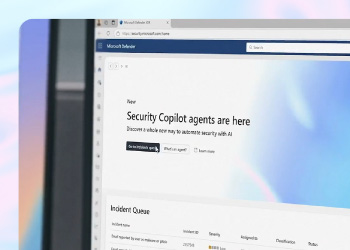
Microsoft Security Copilot
Microsoft Security Copilot is an AI-powered security assistant that helps agencies respond to threats faster and with greater confidence. It uses prompts to simplify complex security tasks, making it easier for organizations to investigate incidents, identify threats, and strengthen their security position. Security Copilot works at a rapid pace to help defenders stay ahead of evolving cyber risks in the public sector space.
Security Copilot is built on advanced large language models and integrates with Microsoft’s security ecosystem, including Defender XDR, Sentinel, Intune, and Entra. It combines global threat intelligence with your organization’s data to deliver accurate and context-rich insights. Capacity is managed through Security Compute Units (SCUs), which are included with Microsoft 365 G5 licenses or can be provisioned through an Azure Subscription.
- Incident Summaries: Quickly generate clear, actionable summaries of security incidents.
- Automated Analysis: Analyze malware scripts and suspicious files with AI-driven insights.
- Query Assistance: Create and refine KQL queries for Microsoft Sentinel and other tools.
- Posture Insights: Identify and prioritize vulnerabilities and configuration issues.
- Step-by-Step Remediation: Receive guided instructions for resolving threats effectively.
- Security Copilot Agents: Automate repetitive tasks like phishing triage and vulnerability checks.
Security Copilot works seamlessly with Microsoft Defender, Sentinel, Intune, Entra, and Purview. It brings AI-powered insights directly into existing dashboards, reducing the need to switch between tools. Through plugins and APIs, it can also connect with third-party systems, creating a unified security experience across your environment.
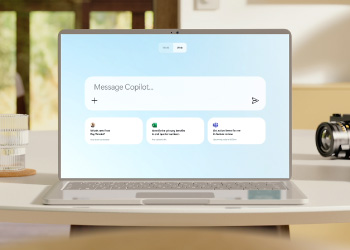
Microsoft Copilot Studio
Copilot Studio is a low-code platform that allows agencies to build and customize AI-powered agents for their unique needs. These agents can handle complex queries, automate workflows, and provide conversational experiences across multiple channels. Copilot Studio makes it easy for teams to create solutions that improve efficiency and service delivery.
Copilot Studio combines Large Language Models (LLMs) with a visual design interface and over 1,400 connectors for data integration. It supports event-driven workflows, manual triggers, and scheduled automation. The platform also includes governance tools, analytics, and testing capabilities to ensure compliance and performance. Copilot Studio supports US Government deployments in GCC and GCC High with FedRAMP High, DFARS, ITAR, and other compliance standards.
- Low-Code Agent Creation: Build custom AI agents without deep coding expertise.
- Multi-Channel Deployment: Publish agents to Teams, web portals, mobile apps, and more.
- Connector Library: Access to over 1,400 connectors to integrate with enterprise and government systems.
- Multi-Agent Orchestration: Coordinate multiple agents for complex workflows.
- Natural Language Understanding: Enable conversational experiences with advanced AI models.
- Governance & Analytics: Monitor performance and maintain compliance with built-in tools.
Copilot Studio integrates with Microsoft Teams, SharePoint, Power Platform, and Microsoft 365 apps. Agents can also connect to Azure Bot Service and external channels like web portals and mobile apps. With identity managed through Microsoft Entra, custom agents securely access organizational data and automate tasks across the Microsoft ecosystem.