SimiTech – Versions Usage for Jira
Tracks fix and affect versions across projects to streamline release governance and surface unassigned or obsolete release tags.
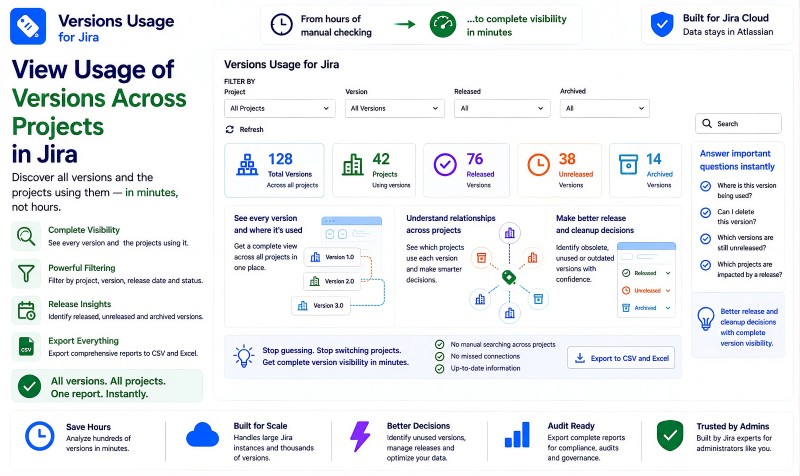
Versions Usage for Jira - Complete Version Visibility
Versions Usage for Jira gives Jira administrators a complete view of versions and the projects using them across their Jira instance. Instead of manually opening projects and checking versions one project at a time, the app brings version usage into one searchable report. Administrators can see released, unreleased, and archived versions, understand relationships across projects, and identify obsolete, unused, or outdated versions. The resulting data can be exported to CSV or Excel for audits, reporting, compliance, governance, documentation, release management, and cleanup.
Benefits:
- Complete visibility into versions and the projects using them across Jira.
- Identify released, unreleased, and archived versions in one report.
- Understand version-to-project relationships without manually checking projects one by one.
- Export comprehensive version data to CSV or Excel for audits, reporting, compliance, governance, and cleanup.
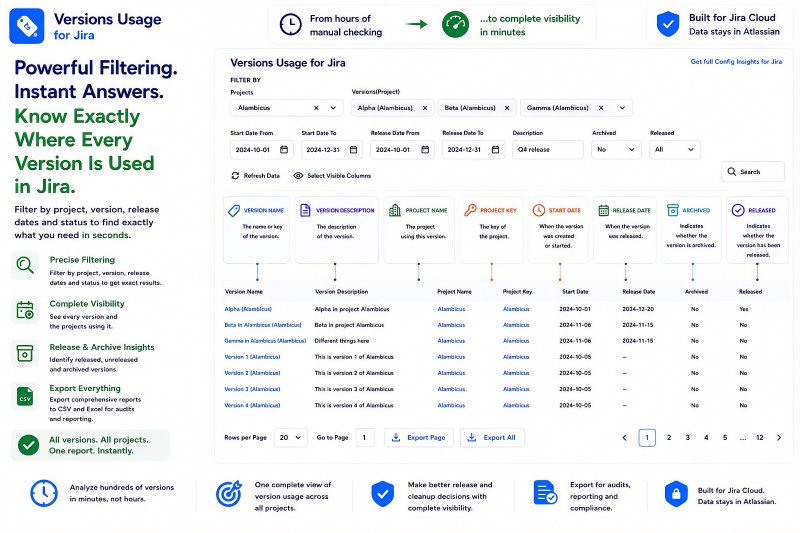
Powerful Version Filtering and Detailed Usage Reporting
Versions Usage for Jira provides detailed filtering so administrators can quickly narrow version data to exactly what they need. Reports can be filtered by project, version, start date range, release date range, description, archived status, and released status. The results show version name and description, project name and key, start date, release date, archived status, and released status in one comprehensive view. This makes it easier to investigate version usage, review release information, and find the exact records needed for reporting, audits, and cleanup.
Benefits:
- Filter by project, version, start dates, release dates, description, archived status, and released status.
- See key version and project details together in one report.
- Quickly isolate released, unreleased, archived, or project-specific versions.
- Export filtered version data to CSV or Excel for audits, reporting, and compliance.
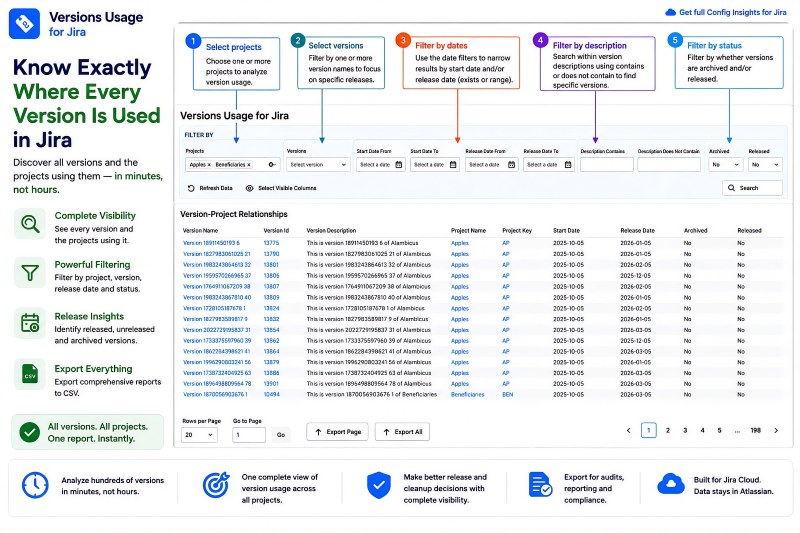
Know Exactly Where Every Version Is Used
Versions Usage for Jira provides a single cross-project view showing where versions are used throughout Jira. Administrators can review version names and descriptions together with the associated project, project key, start date, release date, archived status, and released status. This removes the need to switch between projects and manually inspect version configuration to understand version usage. With complete version visibility in one report, teams can make better release, cleanup, audit, governance, and migration decisions.
Benefits:
- See every version and the project using it in one place.
- Review version status and lifecycle information without switching between projects.
- Identify version usage and dependencies before release, cleanup, governance, or migration decisions.
- Analyze hundreds of versions in minutes instead of manually checking projects.
Architecture & Trust - Runs on Atlassian
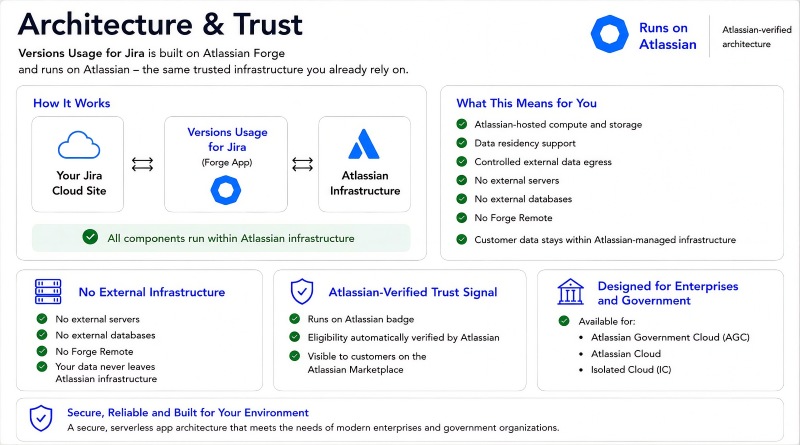
Versions Usage For Jira is built on Atlassian Forge and runs on Atlassian-managed infrastructure. The app uses Atlassian-hosted compute and storage, with no external servers, no external databases, and no Forge Remote. Customer data stays within Atlassian-managed infrastructure, with data residency support and controlled external data egress. Its Runs on Atlassian architecture provides a clear trust signal for organizations evaluating the app for enterprise, government, audit, compliance, and governance use cases.
Benefits:
- Runs on Atlassian with Atlassian-hosted compute and storage.
- No external servers, external databases, or Forge Remote.
- Customer data stays within Atlassian-managed infrastructure with data residency support.
- Designed for enterprise and government environments, including Atlassian Government Cloud, Atlassian Cloud, and Isolated Cloud.