SimiTech – Roles Usage for Jira
Audits project role assignments across users and groups to streamline access control governance and security reporting.
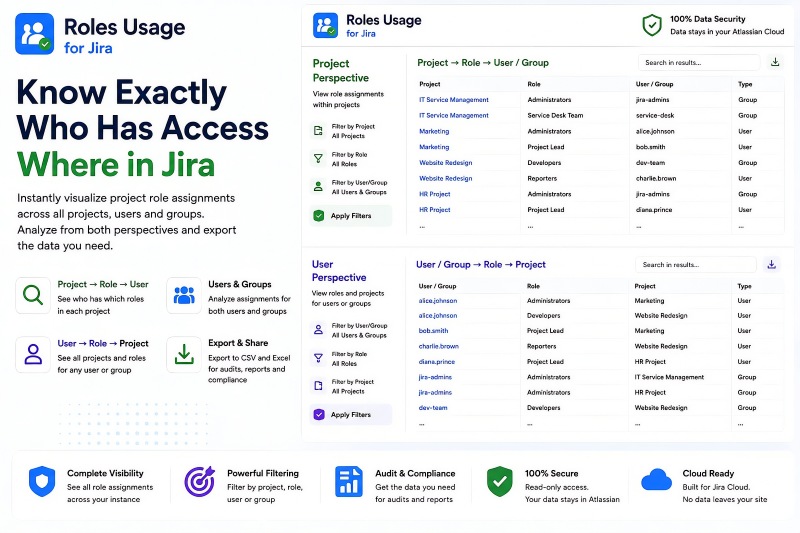
Roles Usage for Jira - Complete Role Assignment Visibility
Roles Usage for Jira gives Jira administrators a complete view of project role assignments across projects, users, and groups. It provides two complementary perspectives so administrators can analyze assignments from either the project side or the user and group side. Instead of manually opening projects and checking role assignments one at a time, the app brings the relationships together in searchable, filterable reports. The resulting data can be exported to CSV or Excel for access reviews, audits, compliance reporting, governance, and documentation.
Benefits:
- See role assignments across projects, users, and groups in one place.
- Analyze the same relationship from both Project -> Role -> User/Group and User/Group -> Role -> Project perspectives.
- Filter by project, role, user, or group to focus on the relationships that matter.
- Export comprehensive relationship data to CSV or Excel for audits, compliance, governance, and documentation.
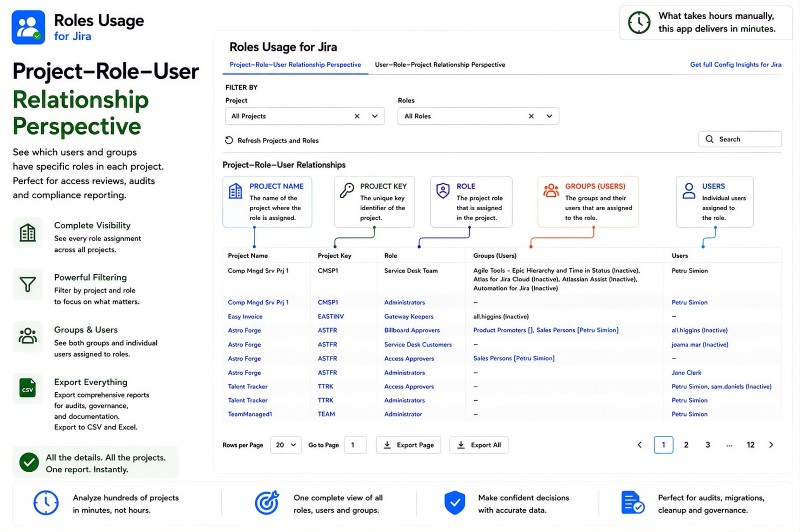
Project-Role-User Relationship Perspective
The Project-Role-User Relationship Perspective shows which users and groups have specific roles in each Jira project. Administrators can see the project name and key, the assigned role, the groups associated with that role, and the individual users assigned to it. Project and role filters make it possible to narrow the report to the assignments that need to be reviewed. The complete relationship data can be exported to CSV or Excel for access reviews, audits, compliance reporting, governance, and documentation.
Benefits:
- See every role assignment across projects from the project perspective.
- View both groups and individual users assigned to each project role.
- Filter by project and role to focus on specific access relationships.
- Export comprehensive project-role-user relationship data to CSV or Excel.
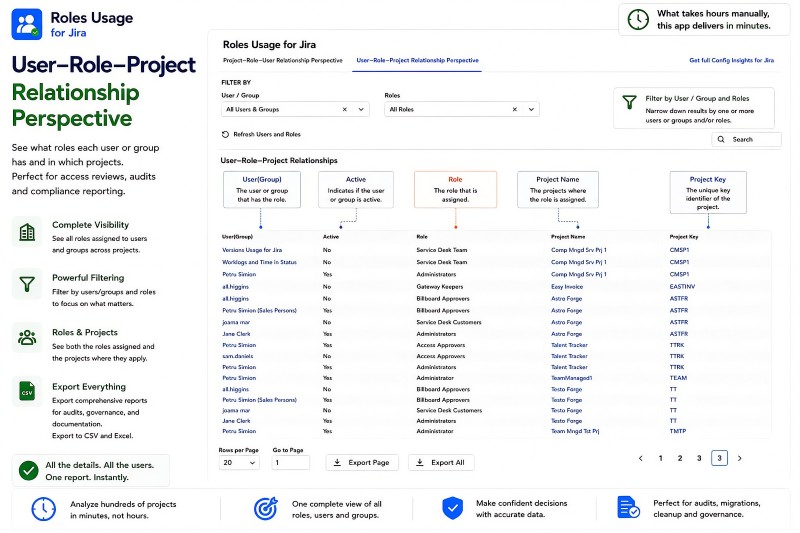
User-Role-Project Relationship Perspective
The User-Role-Project Relationship Perspective shows what roles each user or group has and the Jira projects where those roles are assigned. Administrators can see the user or group, whether it is active, the assigned role, and the corresponding project name and project key. Filters for users, groups, and roles make it easy to investigate an individual identity or review a specific type of access across projects. The resulting relationship data can be exported to CSV or Excel for reporting, access reviews, audits, and compliance.
Benefits:
- See all roles and projects associated with a selected user or group.
- Identify whether the listed user or group is active.
- Filter by users, groups, and roles to focus on specific access relationships.
- Export complete user-role-project relationship data to CSV or Excel.
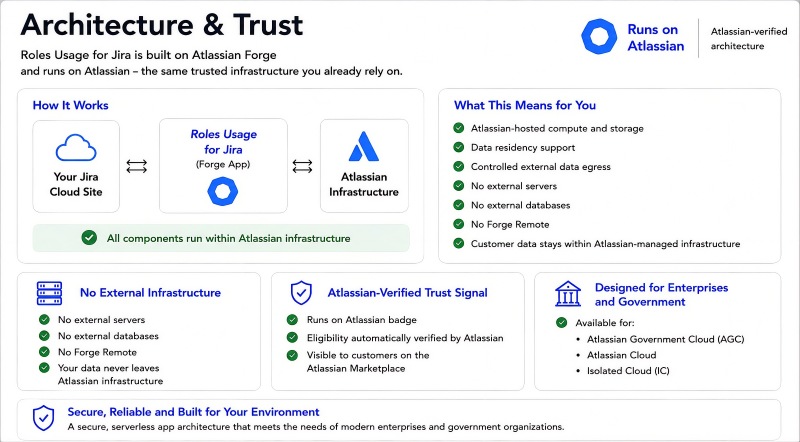
Architecture & Trust
Roles Usage for Jira is built on Atlassian Forge and runs on Atlassian-managed infrastructure. Atlassian-hosted compute and storage support data residency while customer data stays within Atlassian-managed infrastructure. The app does not require external servers, external databases, or Forge Remote. This architecture is designed for enterprise and government environments and the app is available for Atlassian Government Cloud (AGC), Atlassian Cloud, and Isolated Cloud (IC).
Benefits:
- Runs on Atlassian-hosted compute and storage.
- No external servers, external databases, or Forge Remote.
- Supports data residency and keeps customer data within Atlassian-managed infrastructure.
- Available for Atlassian Government Cloud, Atlassian Cloud, and Isolated Cloud.