SimiTech - Issue Insights for Jira  

SimiTech - Issue Insights for Jira

Consolidates comment searching, time-in-status metrics, and historical issue data into a single dashboard for operational visibility.
Step 1 of 4

Advanced Comment Search for Jira

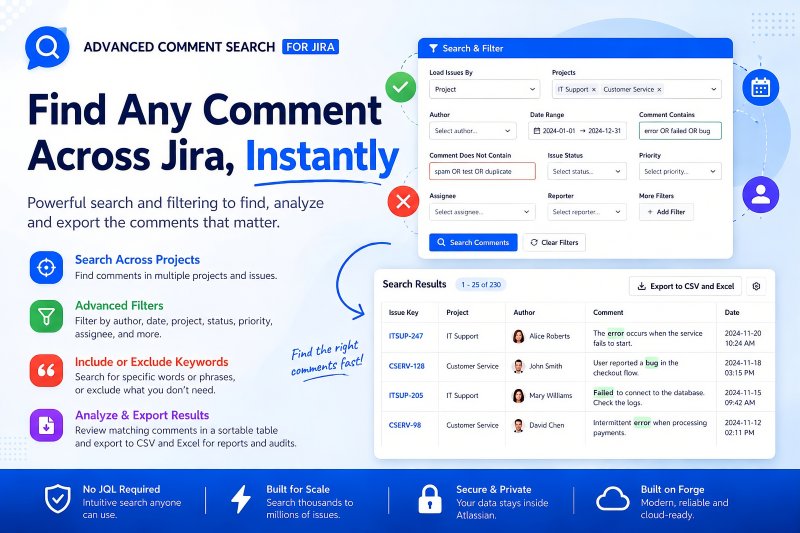
Advanced Comment Search for Jira helps users find comments across Jira projects and issues without requiring complex JQL. Users can search and filter by author, date, project, status, priority, assignee, reporter, and other criteria, while also including or excluding specific words or phrases. Matching comments are presented in a sortable results table so teams can quickly review the conversations that matter. Results can be exported to CSV and Excel for reporting, audits, investigations, and further analysis across large Jira environments.

Advanced Comment Search for Jira Advanced Comment Search for Jira

Benefits:

  • Search comments across multiple projects and issues without JQL.
  • Use advanced filters plus include/exclude keyword searching to narrow results quickly.
  • Review matching comments in a sortable table and export results to CSV and Excel.
  • Built for scale, with data staying inside Atlassian and the app built on Forge.
Step 2 of 4

Issue History & Snapshots Reporter for Jira

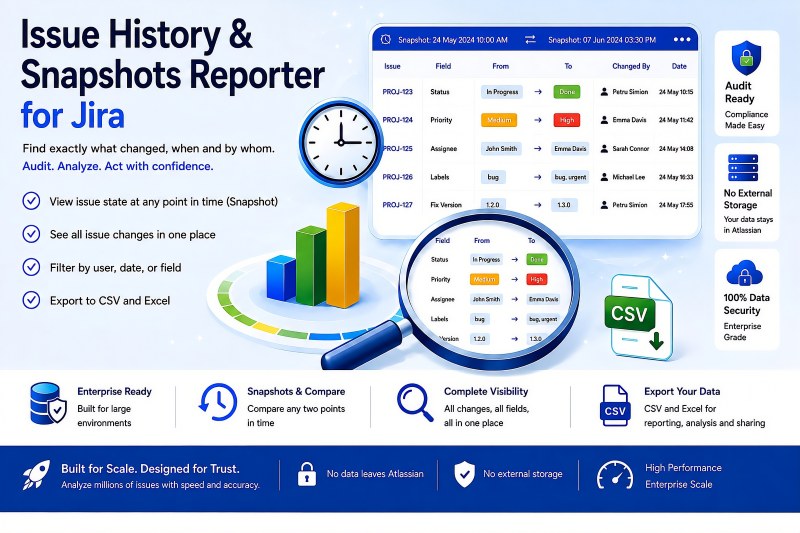
Issue History & Snapshots Reporter for Jira gives teams a complete view of what changed in Jira, when it changed, and who made the change. In addition to reviewing issue history, users can reconstruct an issue's state at a specific point in time and compare snapshots from two different dates. The app provides filtering by user, date, and field so large historical datasets can be narrowed to the information needed for audits, investigations, and analysis. Historical data can be exported for reporting and deeper analysis, while the app is designed to work across very large Jira environments.

Issue History & Snapshots Reporter for Jira Issue History & Snapshots Reporter for Jira

Benefits:

  • See issue changes, changed values, dates, and users in one place.
  • View issue state at any point in time and compare two snapshots.
  • Filter historical data by user, date, or field for focused analysis.
  • Enterprise-scale design with no external storage and data remaining in Atlassian.
Step 3 of 4

Time in Status Reporter for Jira

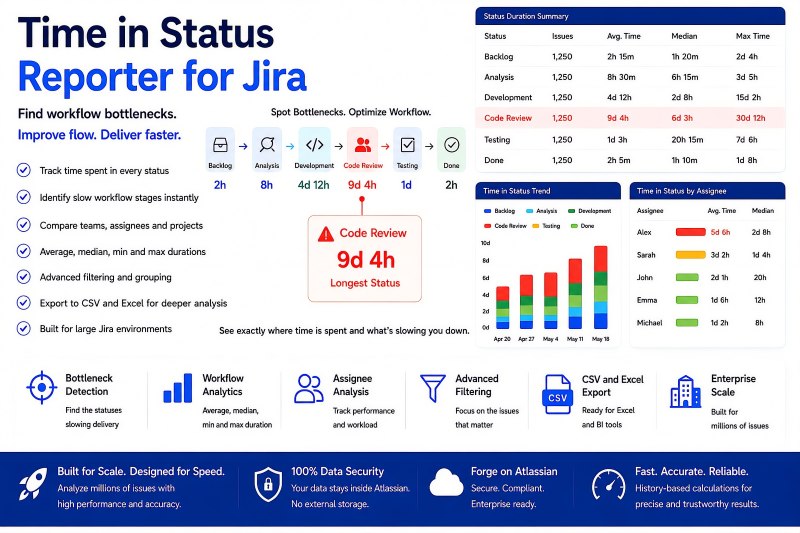
Time in Status Reporter for Jira provides comprehensive workflow-duration analysis so teams can see exactly where time is being spent. It measures time in status and related workflow metrics across large Jira datasets, helping identify slow stages and bottlenecks. Teams can compare results across assignees, projects, and workflow stages, use advanced filtering and grouping, and analyze average, median, minimum, and maximum durations. The app supports enterprise-scale analysis and CSV export for Excel, BI tools, operational reporting, bottleneck identification, and AI-ready analysis.

Time in Status Reporter for Jira Time in Status Reporter for Jira

Benefits:

  • Identify workflow bottlenecks and the statuses slowing delivery.
  • Compare teams, assignees, projects, and workflow stages using duration metrics.
  • Use advanced filtering and grouping with average, median, minimum, and maximum duration analysis.
  • Analyze millions of issues and export large datasets to CSV and Excel for Excel, BI, reporting, and AI-ready analysis.
Step 4 of 4

Issue Insights for Jira - Architecture & Trust

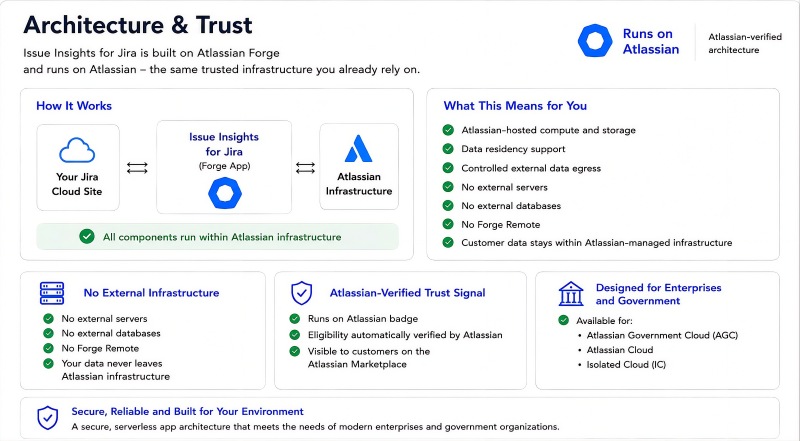
Issue Insights for Jira is built on Atlassian Forge and runs on Atlassian-managed infrastructure. The architecture uses Atlassian-hosted compute and storage and does not require external servers, external databases, or Forge Remote. Customer data stays within Atlassian-managed infrastructure, with data residency support and controlled external data egress. This architecture provides an Atlassian-verified trust signal and is designed for enterprise and government environments, including Atlassian Government Cloud, Atlassian Cloud, and Isolated Cloud.

Issue Insights for Jira - Architecture & Trust Issue Insights for Jira - Architecture & Trust

Benefits:

  • All application components run within Atlassian infrastructure.
  • No external servers, no external databases, and no Forge Remote.
  • Customer data stays within Atlassian-managed infrastructure with data residency support.
  • Designed for enterprise and government use across AGC, Atlassian Cloud, and Isolated Cloud.