A project portfolio management (PPM) solution that brings high-level tracking, custom project attributes, and reporting across all Jira projects.
Step 1 of 6

Projectrak for Jira | Project Portfolio Management

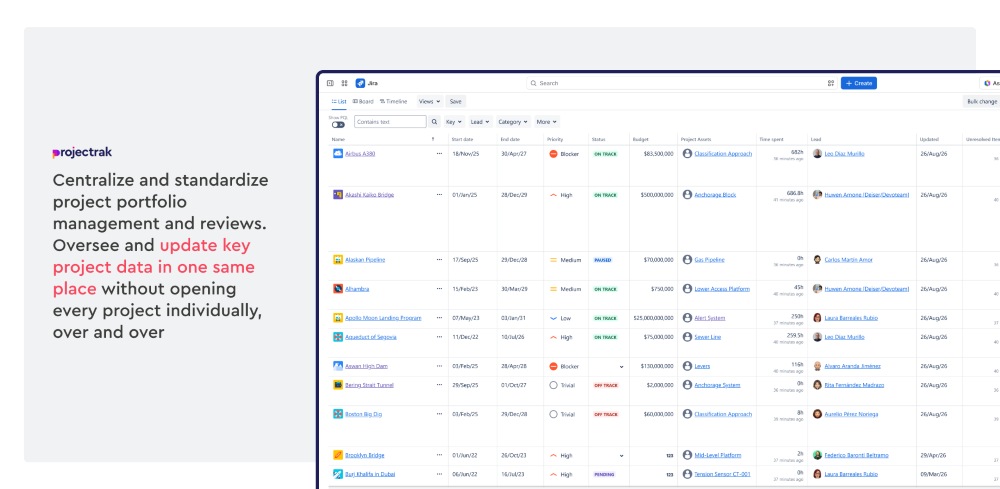
A project portfolio management solution for Jira that adds a structured project layer on top of Jira Work items structure. Standardize and centralize status, dates, priorities, assets, and more with a quick setup at a project level. Give the PMO a centralized and standardized hub for projects. 

Projectrak for Jira | Project Portfolio Management Projectrak for Jira | Project Portfolio Management

Benefits:

  • Project portfolio data directly in Jira
  • Faster project setup and adoption 
  • Centralized & standardized portfolio visibility 
  • Better stakeholder alignment around projects
Step 2 of 6

Project sheet & Predefined fields

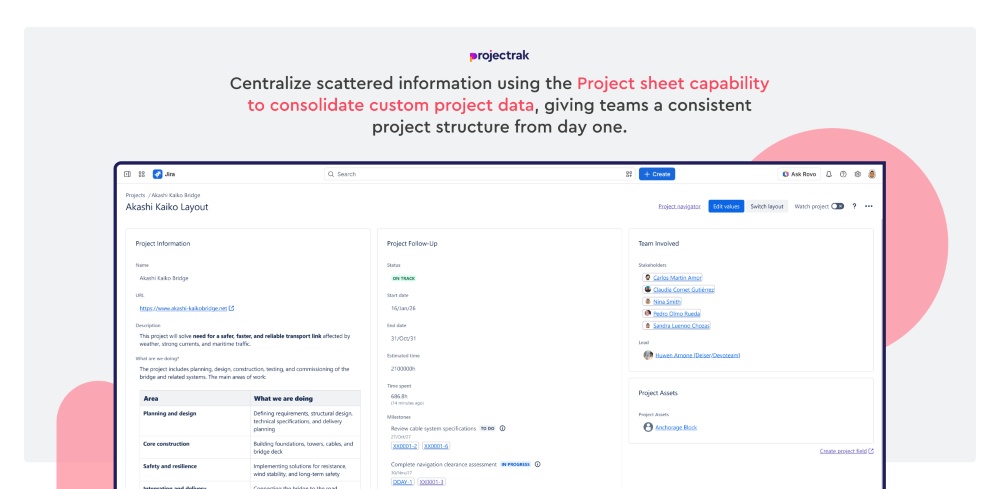
Centralize project information using Project Sheets, a canvas that classifies project data according to the necessary standards; with it, get predefined project fields for projects when install the app. Get basics project fields like status, priority, dates, stakeholders, milestones, and more. Copy, edit, and template those fields and overall canva to match governance needs. Make your project setup faster and keep a consistent project structure.

Project sheet & Predefined fields Project sheet & Predefined fields

Benefits:

  • Faster onboarding from day one
  • Consistent project data model
  • Less admin setup effort
  • Editable starting framework
Step 3 of 6

Project Formula Fields

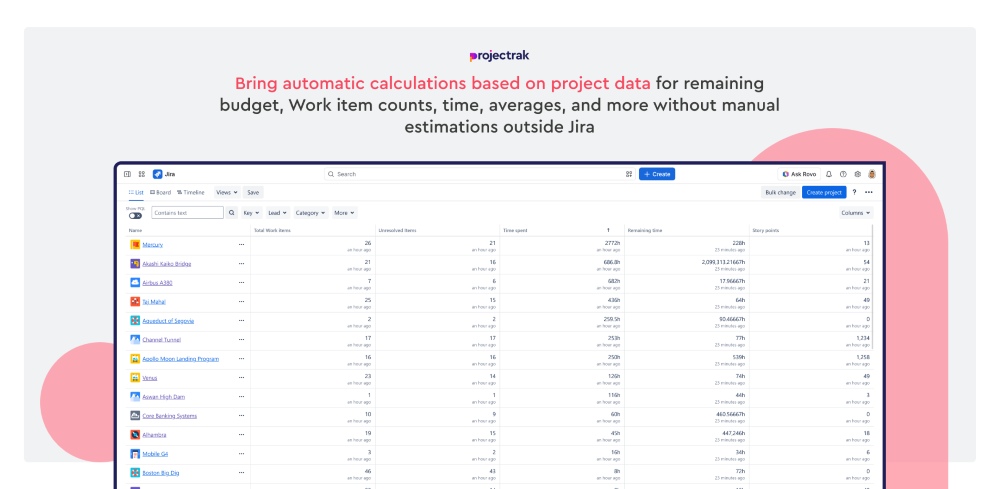
Create values automatically from Jira Spaces or Projectrak projects data. Make sum values, count Work items, or calculate averages. They can also run formulas between Projectrak fields, allowing automatic calculation for projects. Such as “Remaining budget,” “Number of Work items,” “Remaining time,” and more. 

Project Formula Fields Project Formula Fields

Benefits:

  • Automatic project calculations
  • JQL based precision
  • Less manual reporting
  • Better portfolio insights 
Step 4 of 6

Timeline View and Project Milestones

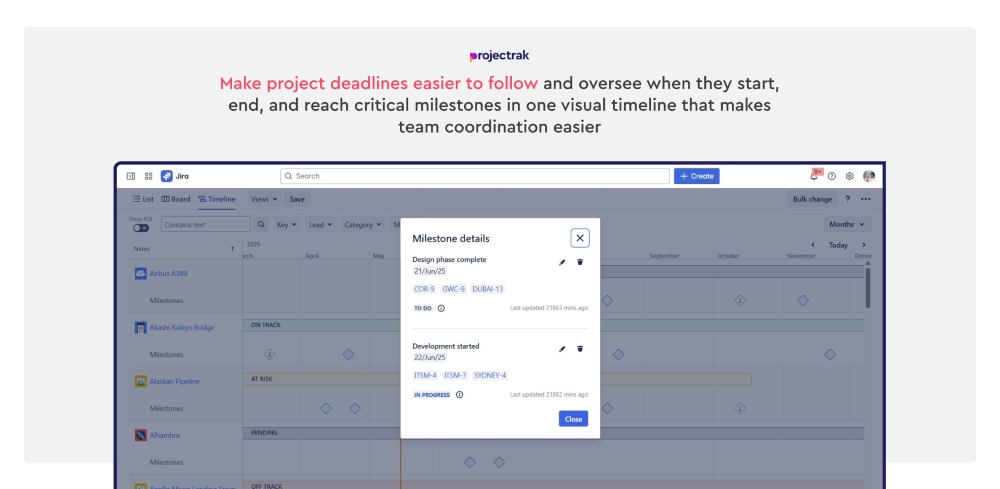
See each project's duration in a calendar layout based on the Start date and End date established. Link Work items to specific project milestones for key dates which are also shown in the Project Sheet. Makes project deadlines more visible and checkpoints easier to follow.

Timeline View and Project Milestones Timeline View and Project Milestones

Benefits:

  • Visual timing across projects
  • Project Milestones linked to work items
  • From daily, to yearly filter levels
  • Faster schedule reviews for team sync
Step 5 of 6

Cascading Project Fields

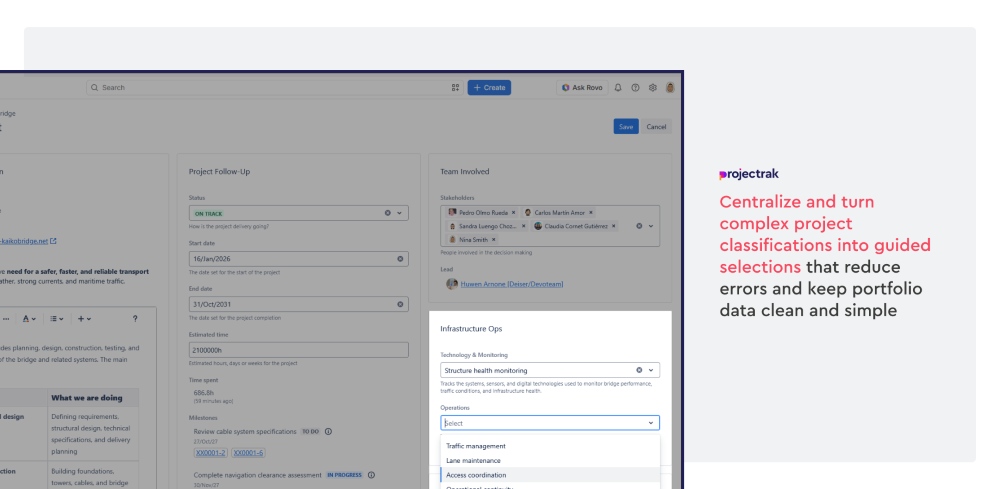
Create dependent project fields where the available values in one field change based on the value selected in another. Define a parent field and connect a child field to it so users only see the options that are relevant to their previous selection. Use this structure to reduce errors, and classify project information such as region and country, business unit and department, or any other hierarchical standard.

Cascading Project Fields Cascading Project Fields

Benefits:

  • Show cascading relevant project field options
  • Reduce incorrect or inconsistent data entry
  • Standardize hierarchical project information
  • Keep portfolio data cleaner and easier to manage
Step 6 of 6

Bulk operations (Advanced Edition only)

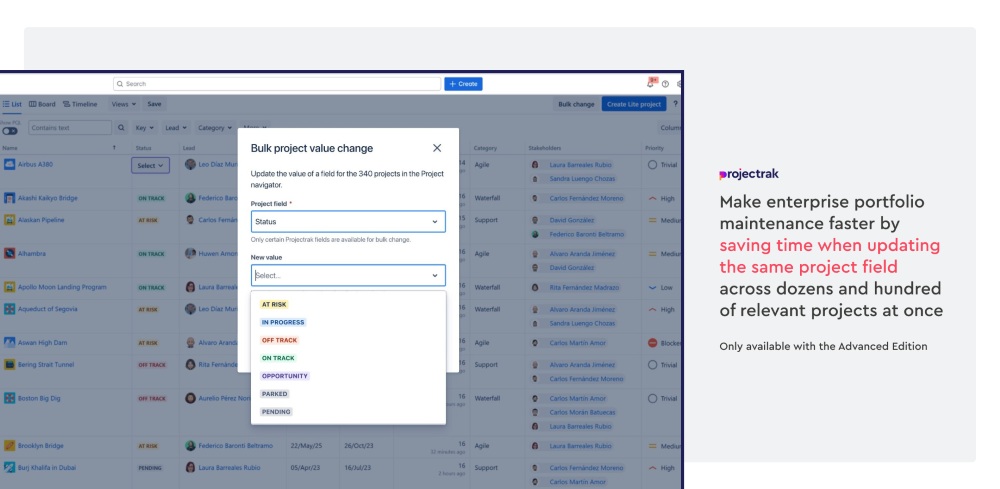
Update one project field across multiple projects or Spaces at the same time. Filter the target projects from the Project Navigator and execute a Bulk change across them, saving time by performing one action for dozens and hundreds of projects on big scale portfolios. It’s only available for the Advanced Edition.

Bulk operations (Advanced Edition only) Bulk operations (Advanced Edition only)

Benefits:

  • Update dozens or hundreds of projects at once
  • Reduce repetitive manual work
  • Standardize portfolio data faster
  • Useful for large enterprise project sets