An advanced data export app that enables users to extract Jira issues and metadata into various structured formats seamlessly.

Step 1 of 6

Exporter for Jira

Exporter for Jira helps teams turn Jira data into a clear, repeatable reporting system without manual effort. It supports PMOs and delivery teams that need reliable updates for everything happening in Jira. Create a consistent and scheduled reporting, auditing, and even migration process by scaling it directly from Jira.

Exporter for Jira Exporter for Jira

Benefits:  

  • Governed PMO reporting from Jira data
  • Structured Excel and CSV outputs
  • Less manual work in every cycle
  • Also used for project audits and migrations
Step 2 of 6

Get work item data & metadata insights

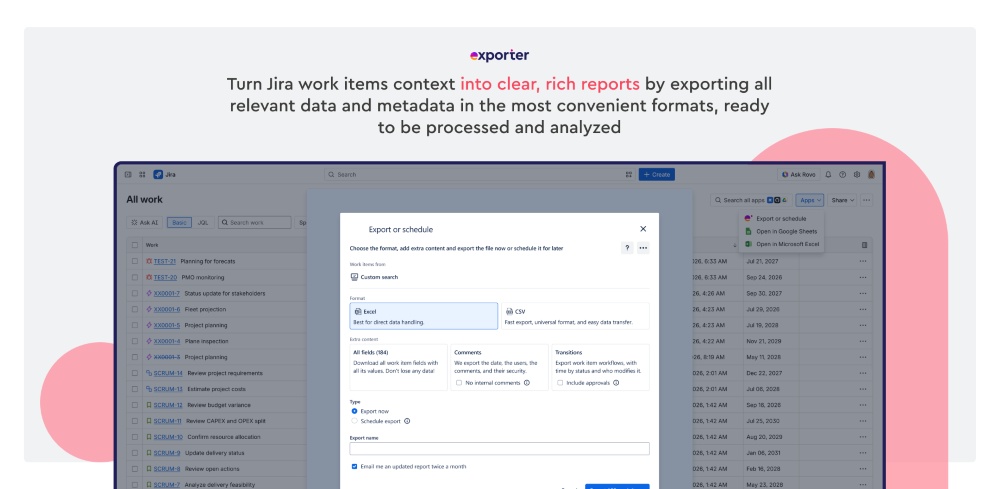
Enrich work item and metadata exports and help teams capture the Jira details that matter for reporting. Status, priority, assignee, timelines, SLAs, and approvals can be included in a structured output. This makes reports useful for PMOs, service teams, leadership reviews, and more. The result is clearer reporting with stronger context and less manual work prone to errors.

Get work item data & metadata insights Get work item data & metadata insights

Benefits:  

  • Export from filters, home, or the work item navigator
  • Include comments, transitions, SLAs, and approvals
  • Choose Excel or CSV depending on the use case
  • Capture report, audit, and migration context ready outside Jira
Step 3 of 6

Customize your export configuration

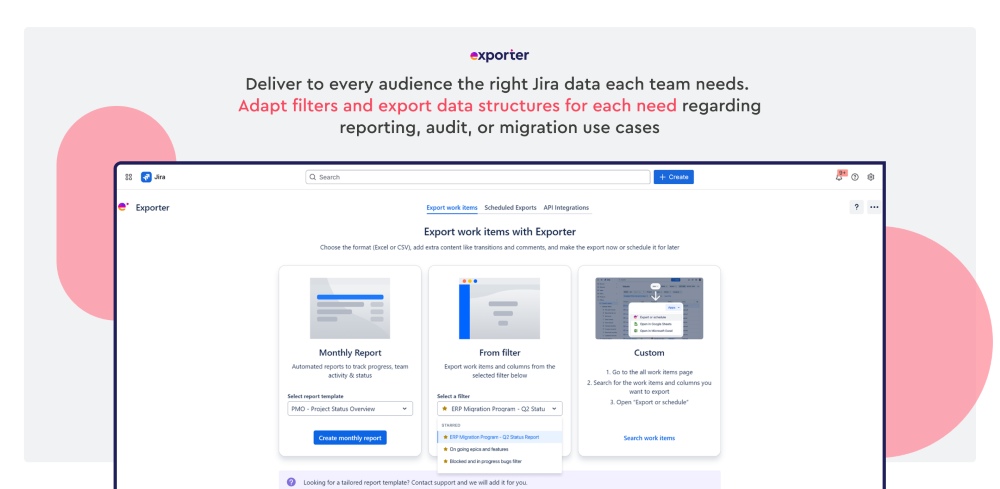
Get flexible export configurations. Allow teams to shape data around reports, audits, and migrations following the most convenient workflow and governance model. Choose the filters and structure that best match each need. Make outputs relevant for different audiences and use cases. Also help teams reuse saved filters over time instead of starting from scratch.

Customize your export configuration Customize your export configuration

Benefits:  

  • Reuse saved filters to build custom exports
  • Choose CSV delimiters for specific third-party software
  • Standardize file naming
  • Adapt exports to different use cases and audiences
Step 4 of 6

Scheduled exports and email notifications

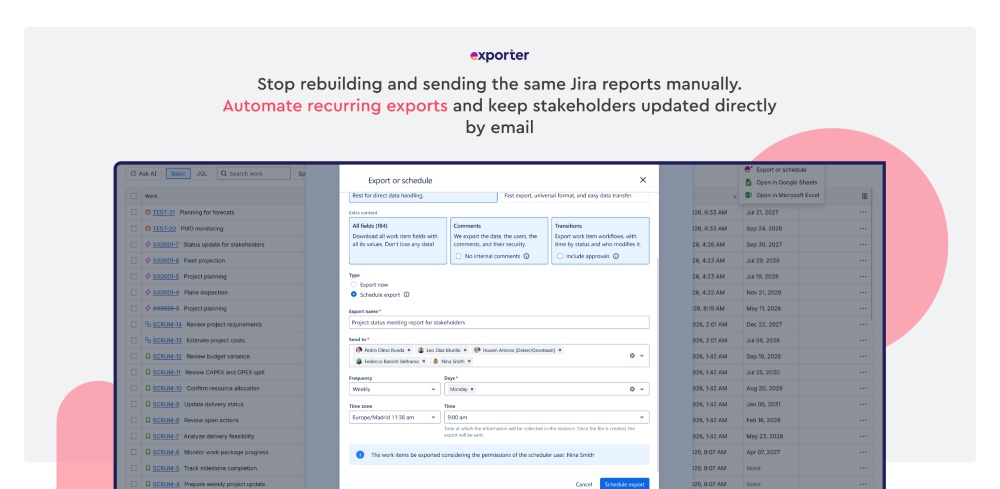
Turn and automate the reporting process from Jira data into a dependable workflow. Plan recurring report deliveries and notify stakeholders via email without manual follow-up. Reduce repetitive work and lower the risk of missed updates, helping the PMO build a more reliable reporting routine.

Scheduled exports and email notifications Scheduled exports and email notifications

Benefits:  

  • Automate weekly, monthly, or cron exports
  • Send email notifications about the export to recipients by email
  • Track recent automated execution history for audits
  • Reduce manual work and missed exports
Step 5 of 6

Monthly reports

Help teams maintain a reporting lifecycle for reviews, summaries, and stakeholder updates. Extract data from Jira for reports in a simple, standardized, and repeatable flow, improving consistency across projects and reducing last-minute changes. It's especially useful for PMOs managing growing reporting demands.

Monthly reports Monthly reports

Benefits:  

  • Use predefined data templates for common reporting needs
  • Support the PMO and project stakeholders
  • Manage reports from scheduled exports
  • Get a repeatable monthly portfolio activity view
Step 6 of 6

API Integration

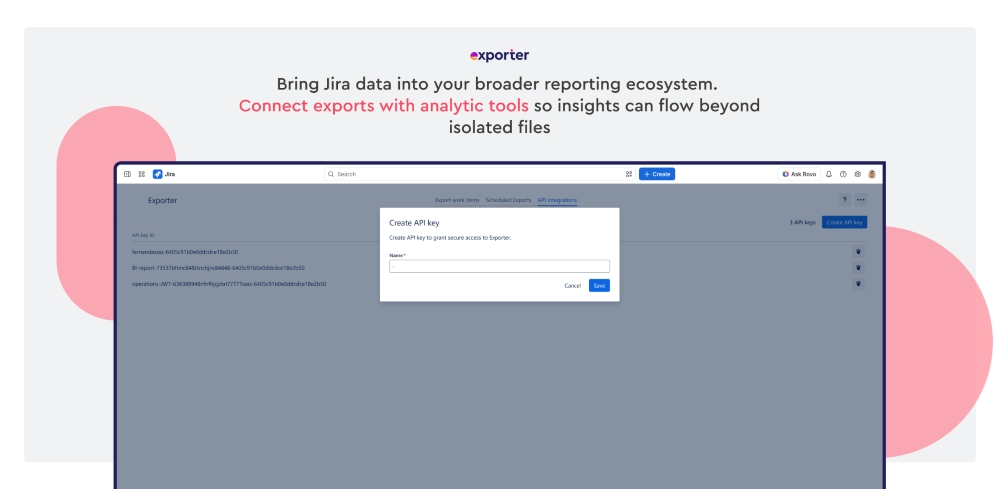
Connect Jira exports with external tools for broader reporting workflows. This is useful when the PMO needs Jira data to support BI, analysis, or operational systems. Instead of working with isolated files, teams can create a more connected reporting process. 

API Integration API Integration

Benefits: 

  • Connect Exporter to external services 
  • Create and manage API credentials 
  • Use REST API and JWT authentication 
  • Support analytics and data pipeline workflows