A resource management and capacity planning tool that helps teams allocate workloads and manage team availability effectively.
Step 1 of 5

Capacity for Jira

Capacity for Jira is a solution for capacity planning and workload allocation. It crosses individual and team availability with skills and projects in a color-coded calendar, allowing to allocate tasks, forecast effort, and balance work quickly and efficiently in one place. Plan with clarity and fewer overloads.  

Capacity for Jira Capacity for Jira

Benefits:  

  • Centralizes capacity planning in Jira
  • Prevents overload with clearer visibility  
  • Improves forecasting and resource balance 
  • Supports delivery planning across teams
Step 2 of 5

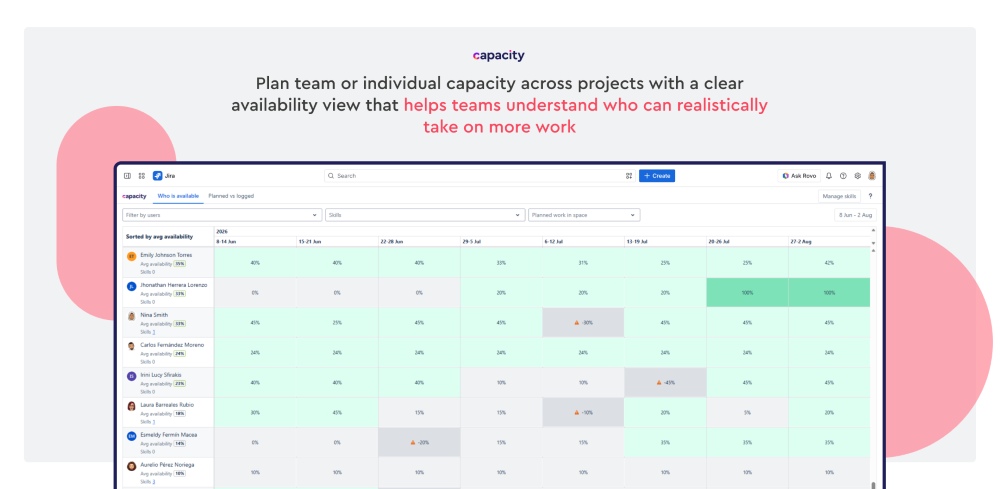
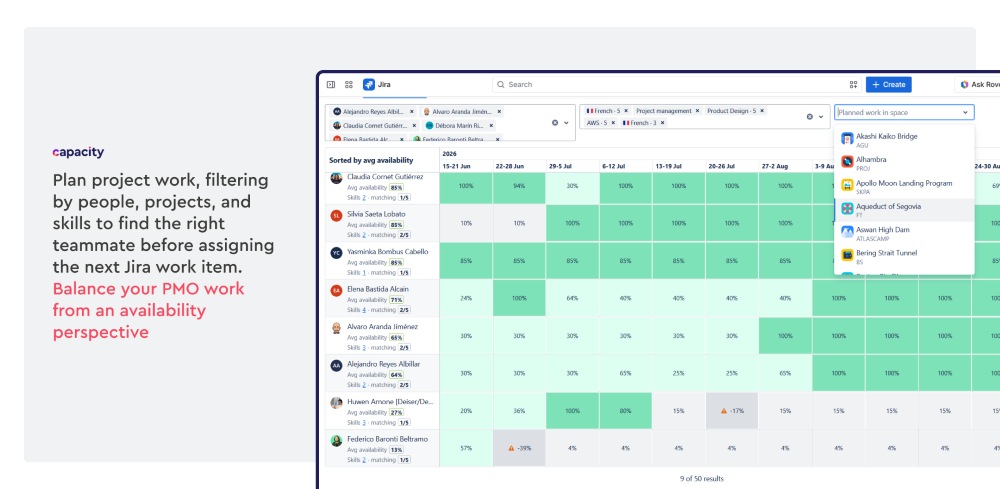
Cross-project, skill, and availability planning

Plan project work by reviewing availability, workload, people, projects, and skills, centralized in one calendar view. Users can filter the view to focus on the exact teammates, projects, or skill sets they need before assigning work. Understand who has open capacity, who is already planned, and who may be overloaded.

Cross-project, skill, and availability planning Cross-project, skill, and availability planning

Benefits:  

  • Plan work from real team or individual availability
  • Filter capacity by people, projects, and skills
  • Support fair and faster capacity allocation
  • Reduce overload risks across people and teams
Step 3 of 5

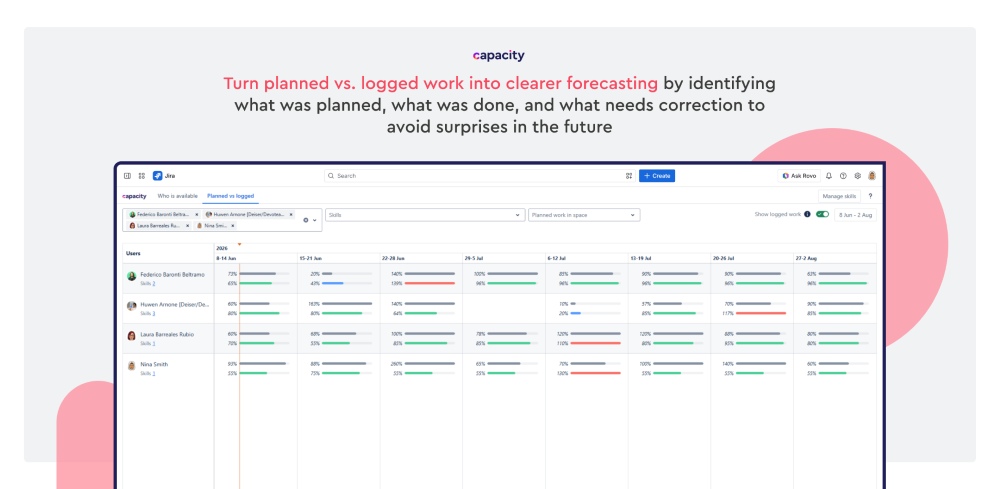
Planned vs logged work

Compare the logged work against planned capacity. Each cell then shows one progress bar for recorded work and another for planned capacity. The detail view also highlights it individually with work item details. Help teams spot deviations and plan future work more accurately. 

Planned vs logged work Planned vs logged work

Benefits:

  • Compares planned against actual effort 
  • Reveals unplanned work clearly
  • Improves future forecasting
  • Supports corrective action faster 
Step 4 of 5

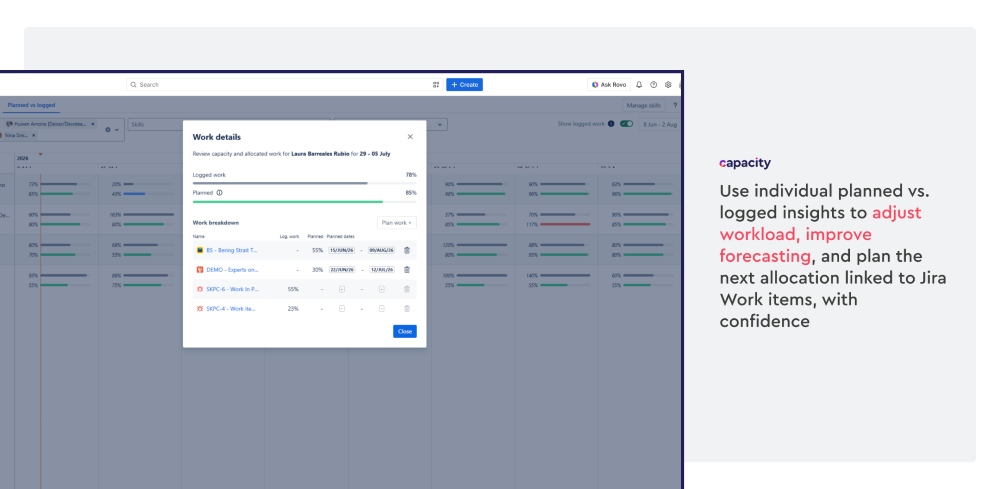
Individual capacity planning linked to Jira work

Compare individual planned workload with logged work, helping managers understand and relocate work by linking or unlinking Jira Work items. Make deviations easier to identify without checking external reports or spreadsheets directly where the work happens. Give the PMO and managers a clearer view to correct workload and improve future capacity planning.

Individual capacity planning linked to Jira work Individual capacity planning linked to Jira work

Benefits:

  • Compare planned work with logged effort
  • Reveal capacity deviations by teammate and Work item
  • Identify unplanned work more clearly
  • Support accurate forecasting and corrective planning decisions
Step 5 of 5

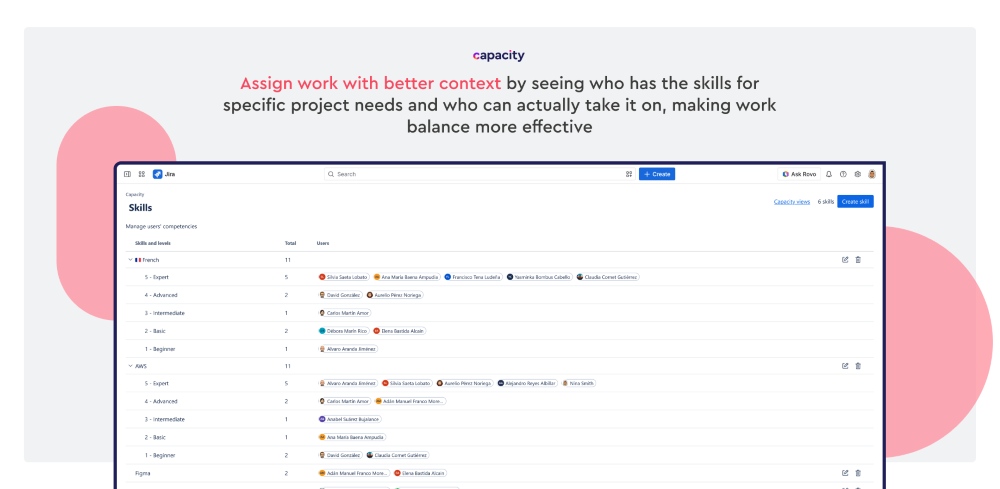
Skills

Describe and organize individual team members' specific skills, certifications, and studies that make them stand out, relevant to project delivery. Create skills and link them according to the teammate’s proficiency levels to represent their expertise. Once skills are assigned, they become filters, allowing you to quickly find people with the right capabilities for upcoming or ongoing work. Make team and individual capacity decisions more accurate.

Skills Skills

Benefits:

  • Identify the right people for specific project needs
  • Filter capacity planning by skills and proficiency levels
  • Improve staffing accuracy across people, teams, and projects
  • Combine expertise visibility with workload availability