A project budget management and cost-tracking app designed to control financial performance directly within Jira.
Step 1 of 6

Budgety for Jira

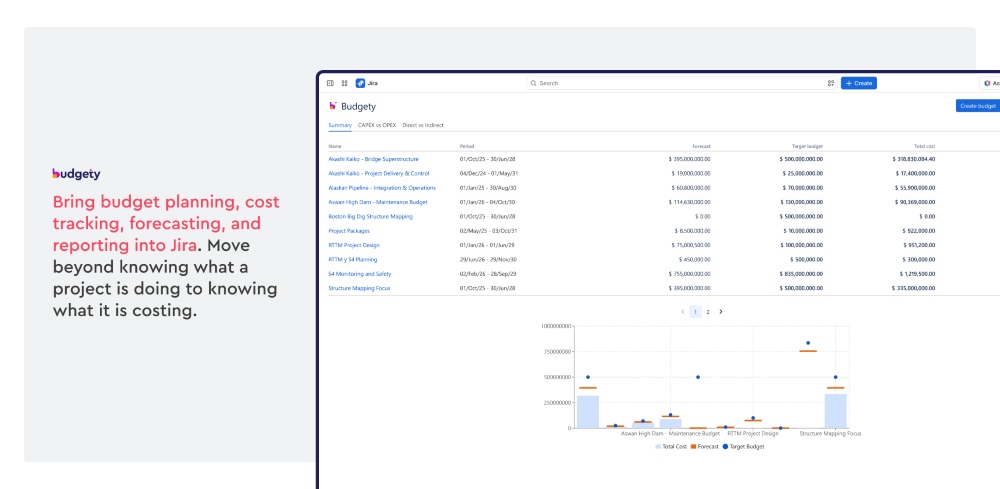
Budgety for Jira is a budget management and cost tracking app for Jira Cloud. It helps teams create budgets and costs, forecast, compare planned and actual spending, classify costs as CAPEX, OPEX, or any custom enterprise standard, establish costs rates per hour, and AI-assisted reporting. 

Budgety for Jira Budgety for Jira

Benefits:

  • Centralize project budget control inside Jira
  • Track planned vs actual spending in real time
  • Classify costs by CAPEX, OPEX, and other standards
  • Use AI and Rovo for smarter reporting and guidance
Step 2 of 6

Budget and cost forecasting

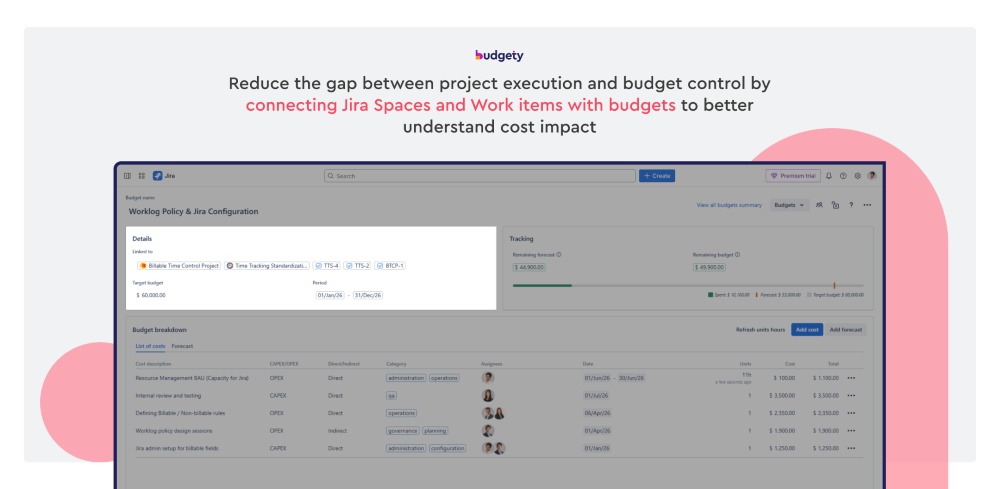
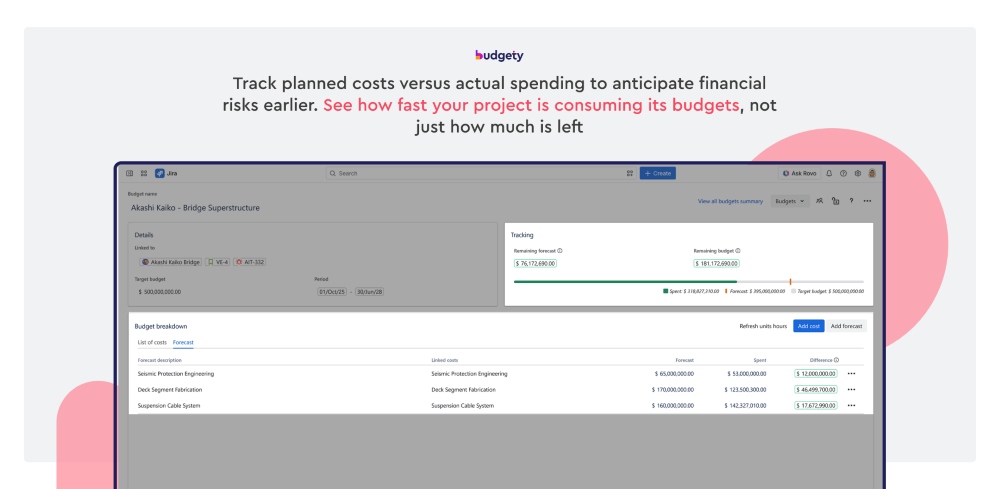
Help teams forecast costs and track budget consumption directly in Jira. Users can compare planned amounts with actual spend in the same budget view. The tracking bar makes deviations easy to spot by showing how much of the budget has been used versus what was expected, giving project managers earlier visibility to adjust scope, timing, or resources before overspending happens.

Budget and cost forecasting Budget and cost forecasting

Benefits:  

  • Compare planned vs spent at a glance
  • Spot budget deviations early
  • Track consumption with a visual bar
  • Improve budget control in Jira
Step 3 of 6

Cost input, classification, and tracking

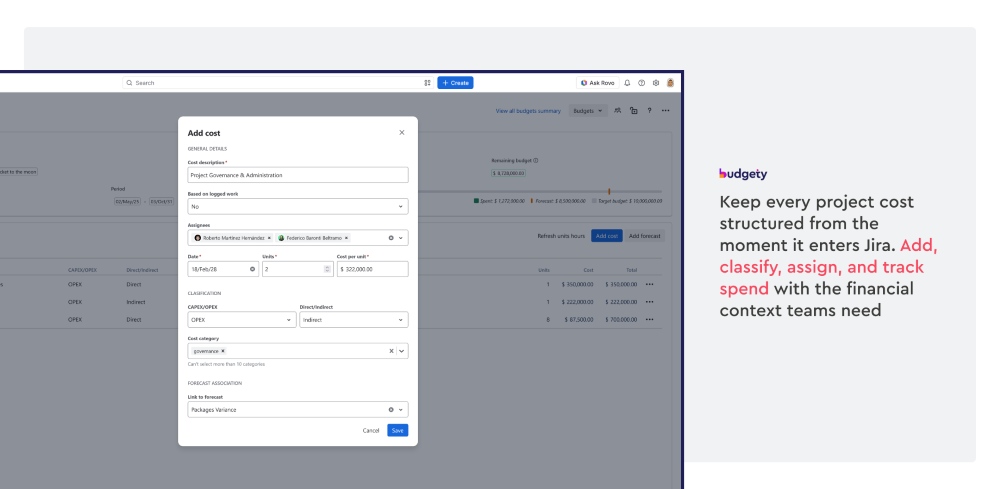
Add costs based on logged work or enter them manually. Add descriptions, dates, units, and owners. Classify costs as CAPEX/OPEX, Direct/Indirect, and other custom categories. This makes project spend tracking more organized and easier to analyze. 

Cost input, classification, and tracking Cost input, classification, and tracking

Benefits:  

  • Capture labor and non-labor costs in one place 
  • Standardize cost classification for better reporting and analysis 
  • Support custom categorization for internal rules
  • Improve cost accuracy and accountability
Step 4 of 6

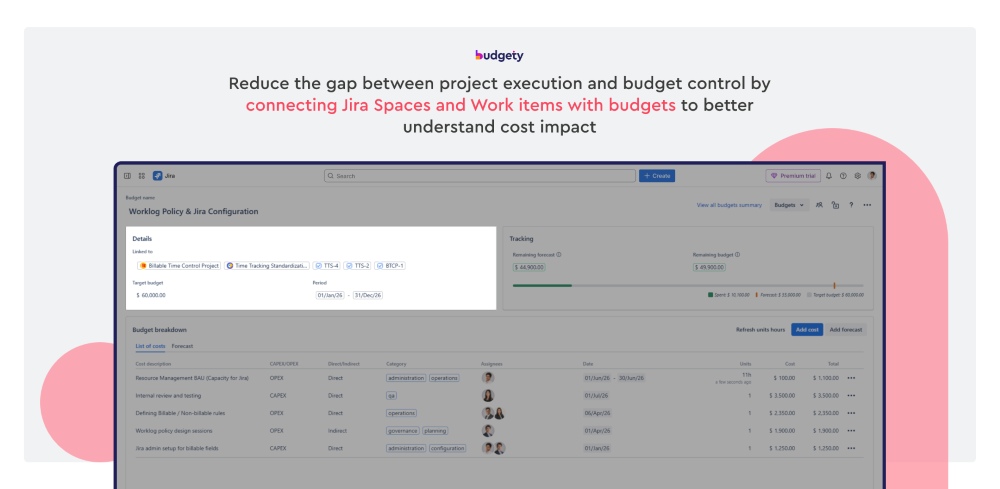
Allow teams to associate project budgets directly with Jira Spaces and Work items, keeping financial data connected to the project operational work. Create budgets and costs from the relevant work and get a simple understanding of the budget consumption, managing project finances faster and with context.

Benefits:  

  • Connect budgets and costs to Jira Spaces and Work items
  • Track financial impact closer to where projects are being managed
  • Reduce friction by having financial control somewhere else, disconnected
  • Give project and financial managers access to a project holistic view
Step 5 of 6

AI Financial Assistant

Get an Atlassian award winning feature that brings AI capabilities and transforms Budgety into a Rovo Agent for financial guidance. It allow teams to request on-demand reports and insights based on your data, highlighting analysis and predictions, depending on the need of the request, reducing manual reporting and speeding up the decision making process.

AI Financial Assistant AI Financial Assistant

Benefits:  

  • Get on-demand financial insights from your financial data in Jira
  • Reduce time spent building reports manually
  • Get reliable financial data processed and ready for deeper analysis
  • Make budget decisions faster
Step 6 of 6

Rates per Role (Advanced Edition)

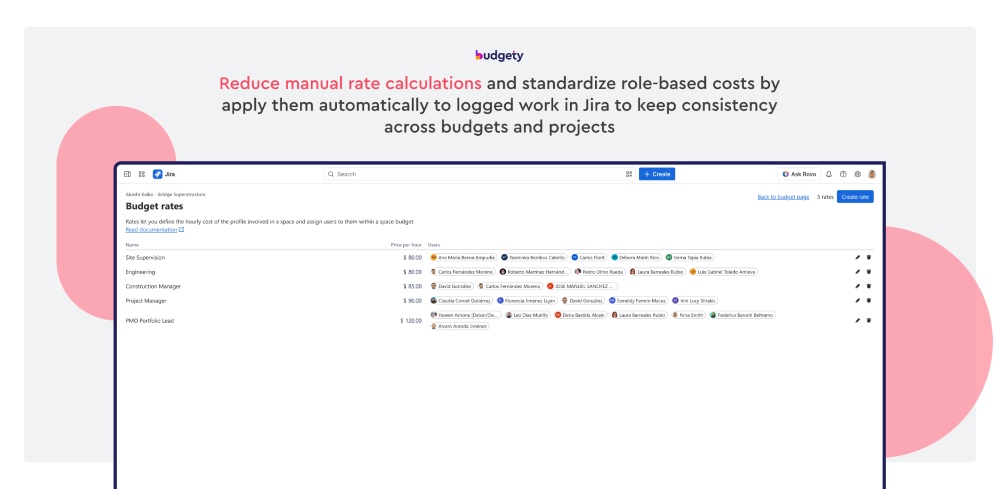
Define cost rates for specific roles, so when input calculations they remain consistent across budgets and projects. When time is logged in Jira, Budgety bring that work into project costs based on the assigned rates. This removes manual work and reduces errors. Make cost management easier to scale across teams.

Rates per Role (Advanced Edition) Rates per Role (Advanced Edition)

Benefits:  

  • Standardize costs by role
  • Generate costs from logged time
  • Reduce manual work and errors
  • Scale budgeting across projects