A secure, lightweight task-management add-on for Atlassian Jira and Jira Service Management designed to optimize public sector workflows by breaking down complex initiatives into clear, actionable to-do lists directly within the issue view.
Step 1 of 6

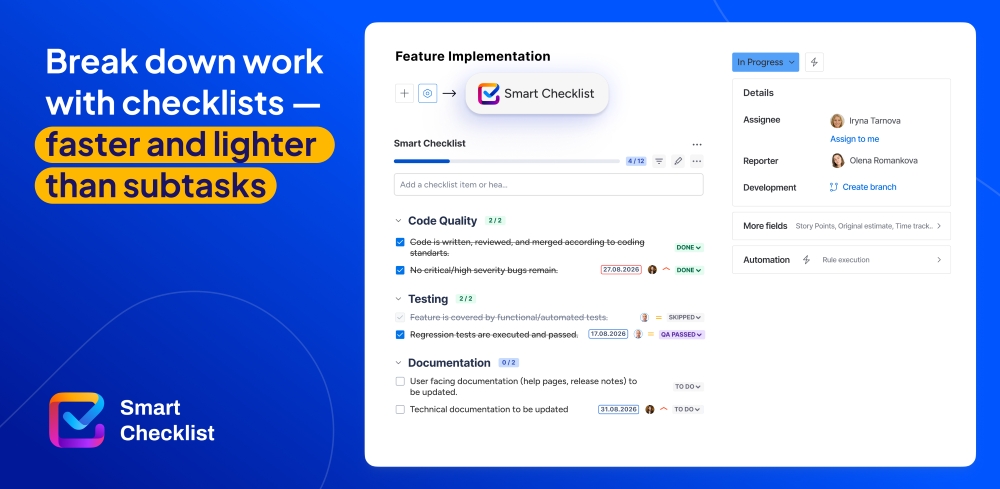
Lightweight subtask alternative

Manage your work without subtasks overhead: use checklists instead. Create detail-rich ToDos inside your Jira issue. Set assignees, due dates, statuses and priorities, add details and links – all in the Jira issue view.

Lightweight subtask alternative Lightweight subtask alternative

Benefits:

  • Create detail-rich checklists inside Jira work items
  • Set assignee, priority and due date
  • Structure checklist with headers and tabs, add custom statuses
  • Add additional instructions, useful links to the checklist item in Details section
Step 2 of 6

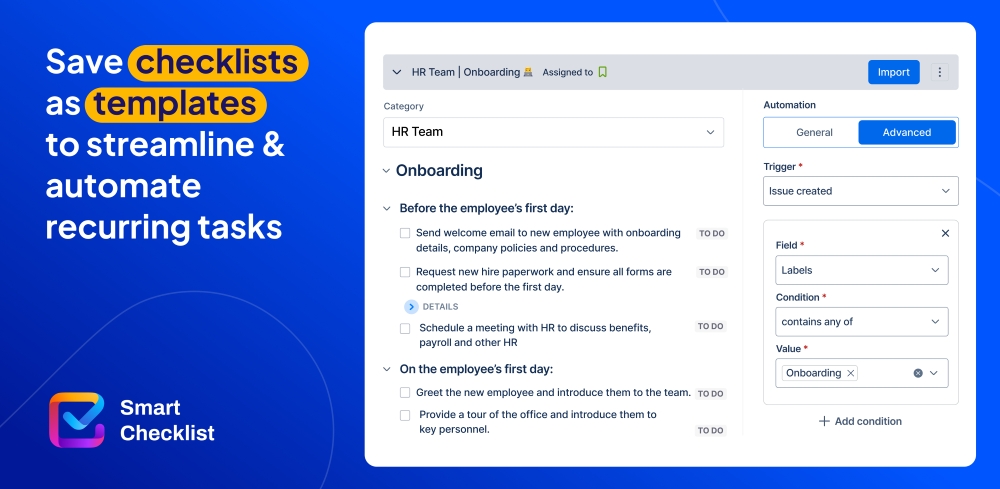
Use Checklist Templates for recurring processes

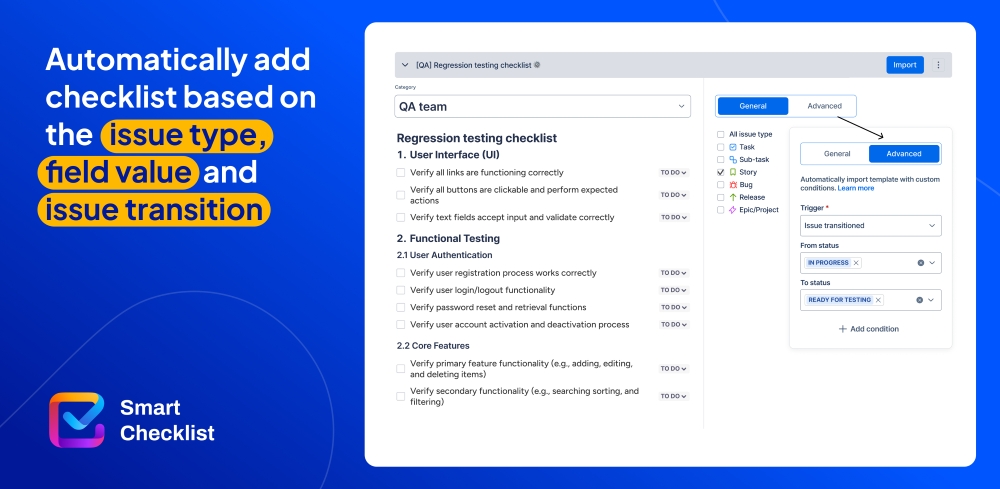
Save checklists as templates to document and streamline recurring processes. Automatically add them to tasks based on issue type, field value or issue transition. Organize templates by custom-defined categories to improve discoverability and management.

Use Checklist Templates for recurring processes Use Checklist Templates for recurring processes

Benefits:

  • Set a default template per all or a specific issue type
  • Share templates across all projects
  • Prevent users from modifying checklist content with Linked templates
  • Use Templates in automation
Step 3 of 6

Automatically add Checklists to Jira tasks

Enforce standards and proven processes by having checklists added automatically based on your automation rules and workflow setup. Automatically add checklist items or templates on issue creation, issue transition, or based on the issue field value. Use Automation actions in Automation for Jira for better usability.

Automatically add Checklists to Jira tasks Automatically add Checklists to Jira tasks

Benefits:

  • Automatically add checklists to all or specific issue types
  • Automatically transition or complete issue on checklist completing
  • Automatically add checklists based on the issue field value
  • Automatically complete checklist or update item status
Step 4 of 6

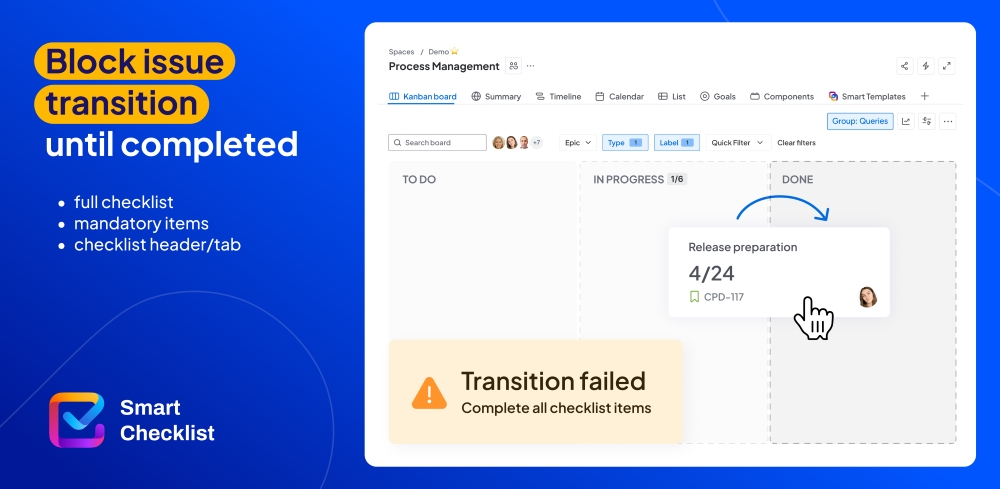
Block issue transition if checklist is not completed

Validate checklist completion on issue transition with Smart Checklist workflow validators. Validate completion of the whole checklist, a checklist tab, or mandatory items.

Block issue transition if checklist is not completed Block issue transition if checklist is not completed

Benefits:

  • Mark certain crucial checklist items as mandatory
  • Validate checklist completion on issue transition
  • Validate checklist tab completion on issue transition
  • Validate mandatory items completion on issue transition
Step 5 of 6

Benefit from Smart Checklist integrations

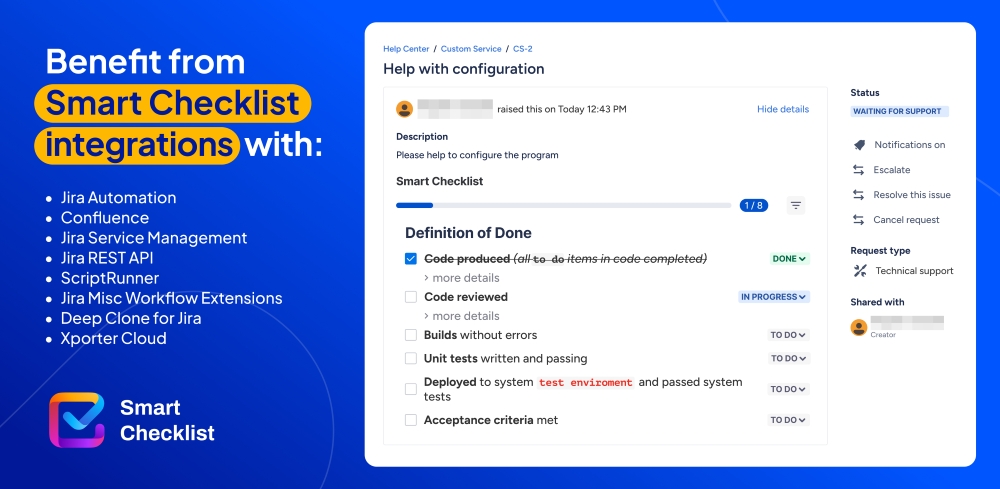
Add checklists to Jira Service Management portal: automatically add checklists based on request type; enable read-only mode for JSM users. Show checklists from Jira issues on Confluence. Update checklists by workflow state transition with JMWE. Use the Jira REST API to read or write checklists.

Benefit from Smart Checklist integrations Benefit from Smart Checklist integrations

Benefits:

  • Jira Service Management
  • Confluence
  • Jira Misc Workflow Extensions
  • ScriptRunner, Deep Clone and Xporter
Step 6 of 6

Track progress with Smart Checklist Dashboard Gadgets

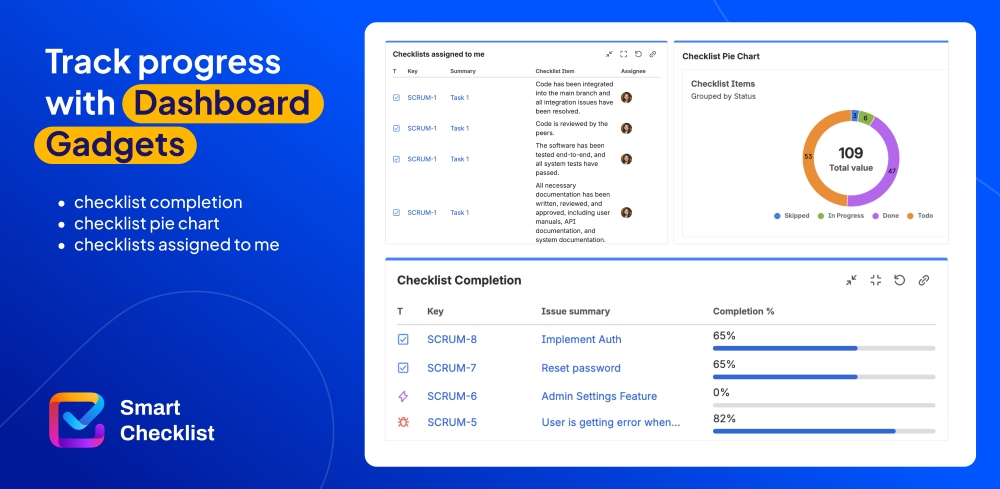
Dashboard gadgets give you a clear, visual overview of checklist work across Jira issues, helping you track workload, assigned checklists, and progress in one place.

Track progress with Smart Checklist Dashboard Gadgets Track progress with Smart Checklist Dashboard Gadgets

Benefits:

  • Checklist Completion Gadget
  • Checklists Assigned to Me Gadget
  • Checklist Pie Chart Gadget