codefortynine - Quick Filters for Jira Dashboards
Transform static reporting into interactive command centers by adding dynamic dropdowns, buttons, and JQL search bars that filter all your dashboard gadgets simultaneously.
Cross-Space / Cross-Team Dashboards
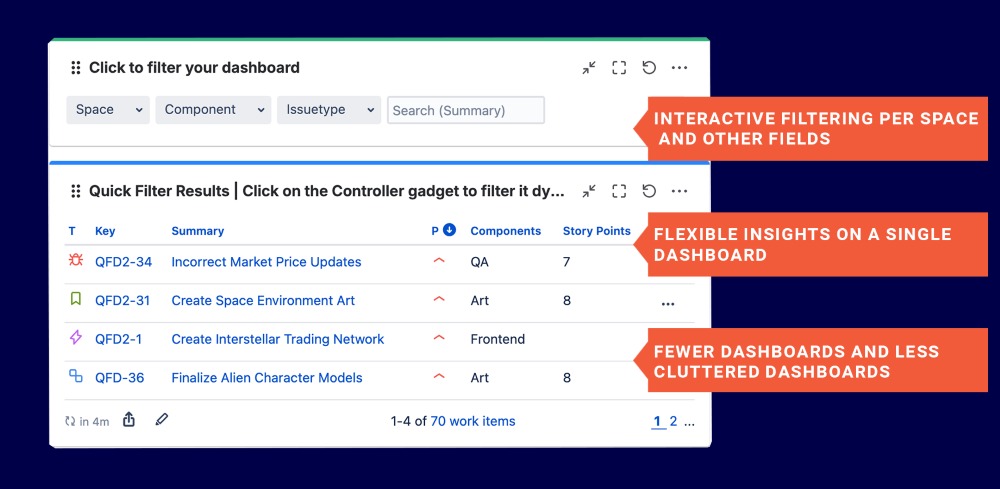
Quick Filters for Jira Dashboards enables organizations to consolidate data from multiple Jira spaces and teams into a single, unified dashboard. Users no longer need to jump between dozens of separate dashboards to track progress, identify bottlenecks, or monitor key metrics; they can switch between different views and focus areas using the Quick Controller gadget, which filters all other Quick Gadgets on the dashboard. Cross-team dashboards are particularly valuable for department leads, providing a high-level view of overall progress while still allowing them to drill down into specific spaces, teams, or fields. Overall, this feature helps organizations manage complexity while maintaining full visibility and control.
Benefits:
- Flexible Insights: Department leads and managers can easily zoom out for a meta view or drill down for detailed analysis.
- Interactive Filtering: Use the Quick Controller gadget to switch between views and focus on specific teams, spaces, or fields.
- Reduced Dashboard Clutter: Minimize the need to maintain dozens of separate dashboards across the organization.
Fewer Dashboards, More Flexibility
Quick Filters for Jira Dashboards allows admins to create fewer, more versatile dashboards that can serve the needs of a wider range of users. Instead of building separate dashboards for every team or role, admins set up a dashboard once, and users can adjust filters to tailor the view to their specific needs. This approach reduces the number of dashboards that must be maintained, saving time and effort for Jira admins while keeping the instance cleaner and more organized. Overall, it streamlines dashboard management and empowers users to see exactly the data they need without extra overhead.
Benefits:
- Simplified Admin Work: Create dashboards once and let users adapt filters, reducing maintenance effort.
- User Flexibility: Users can personalize their dashboard view to match their specific needs.
- Scalable for Teams: Supports growing teams or multiple departments without multiplying dashboards.
- Time Savings: Fewer dashboards to maintain means less time spent updating and managing views.
Powerful Aggregation & Analytics
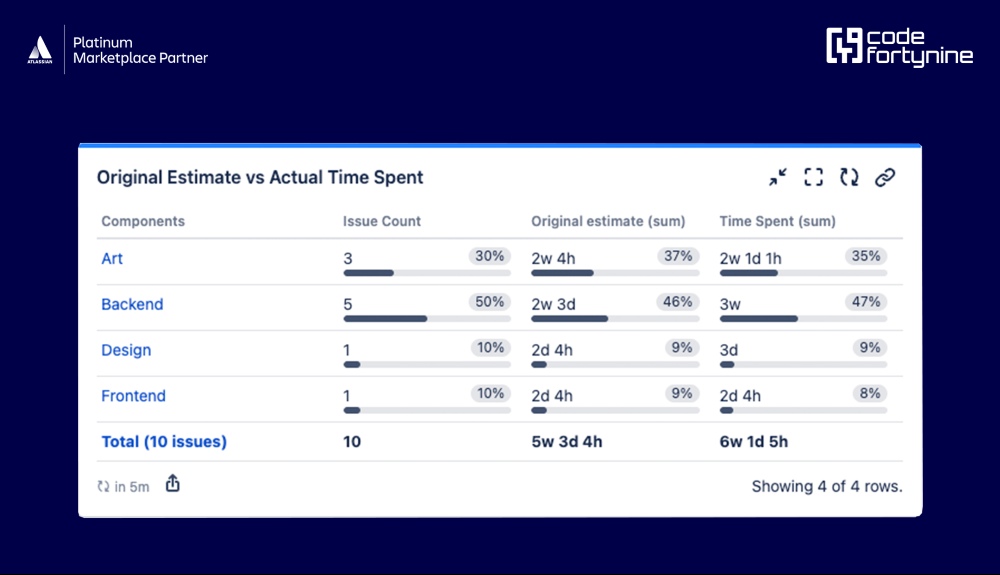
Quick Filters for Jira Dashboards lets users sum up and aggregate any Jira number fields, such as story points or time estimates, across multiple gadgets. With a wide variety of Quick Gadgets available, teams can gain detailed insights into their work and performance metrics. Advanced gadgets, like the Time Series gadget, allow users to track developments and trends over time, helping teams spot patterns, monitor progress, and make data-driven decisions. This feature turns raw Jira data into actionable insights without complex reporting or exports.
Benefits:
- Aggregate Any Number Field: Sum up story points, time estimates, or other numeric fields across multiple gadgets.
- Enhanced Team Planning: Monitor progress, identify bottlenecks, and make informed planning and resource decisions.
- Analysis Over Time: Advanced gadgets like the Time Series gadget show developments and patterns over time.