SaaSJet - Smart Forms for Jira
A no-code form builder that allows teams to create dynamic, conditional forms for internal and external data collection. Submitted data can automatically create or update Jira issues, streamlining the intake process for any department.
Smart Forms for Jira - External Form Sharing
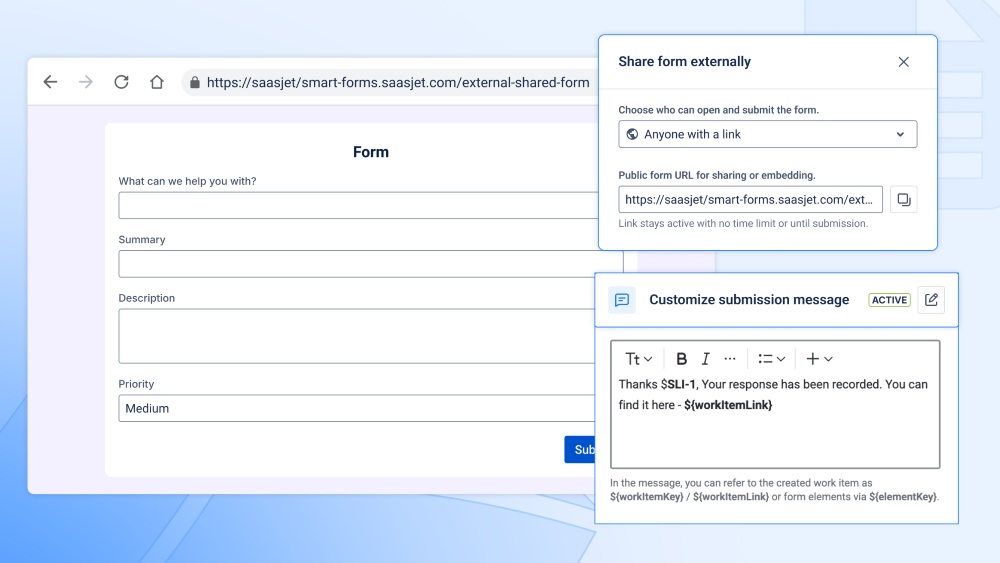
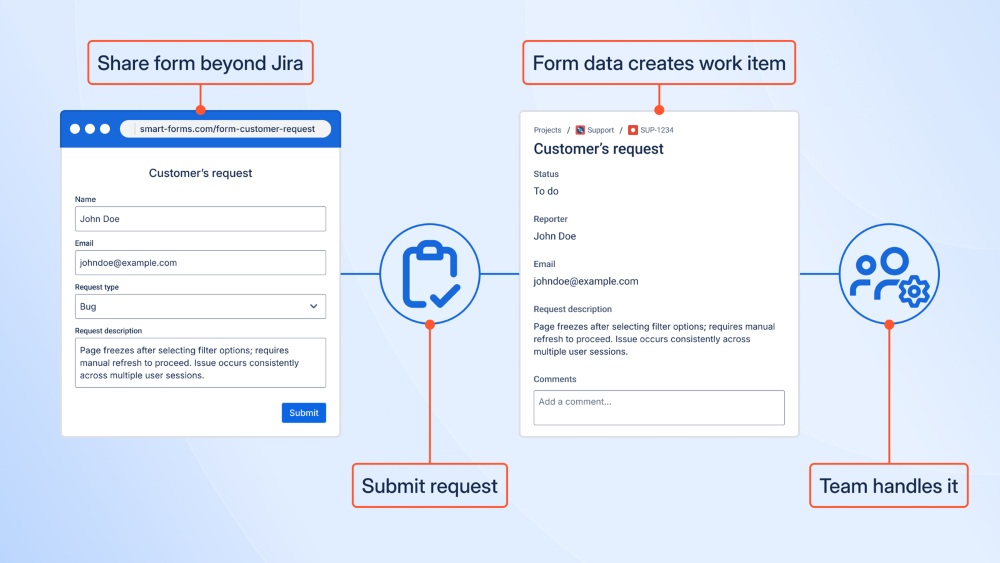
Smart Forms lets you share forms via a public link or embed them on Confluence pages, websites, or portals. Anyone can submit a request without needing a Jira account. Each submission can be automatically linked to an existing work item or automatically create work items in Jira Software, Jira Service Management, and Jira Product Discovery. Form responses can be mapped directly to existing Jira fields in any project — no custom fields required.
Benefits:
- Create Jira issues, JSM requests, or JPD ideas from the form
- Accept submissions from users without Jira access or licenses
- Map form fields to native Jira fields (Summary, Priority, Labels, Components, etc.)
- Place form everywhere or share via link. Keep all incoming data structured and immediately usable in Jira
Smart Forms for Jira - Auto-Attach Forms to Jira Work Items
Auto-attach forms can be used to automatically add the appropriate form to a work item based on project, issue type, or request type, ensuring that required onboarding checklists, approval steps, or structured data collection forms are always present at the right moment in the workflow, such as immediately when a new support ticket or internal request is created.
Benefits:
- Standardizes data collection across teams
- Eliminates manual form selection
- Ensures required information is always requested
Smart Forms for Jira - Create & Update Work Items
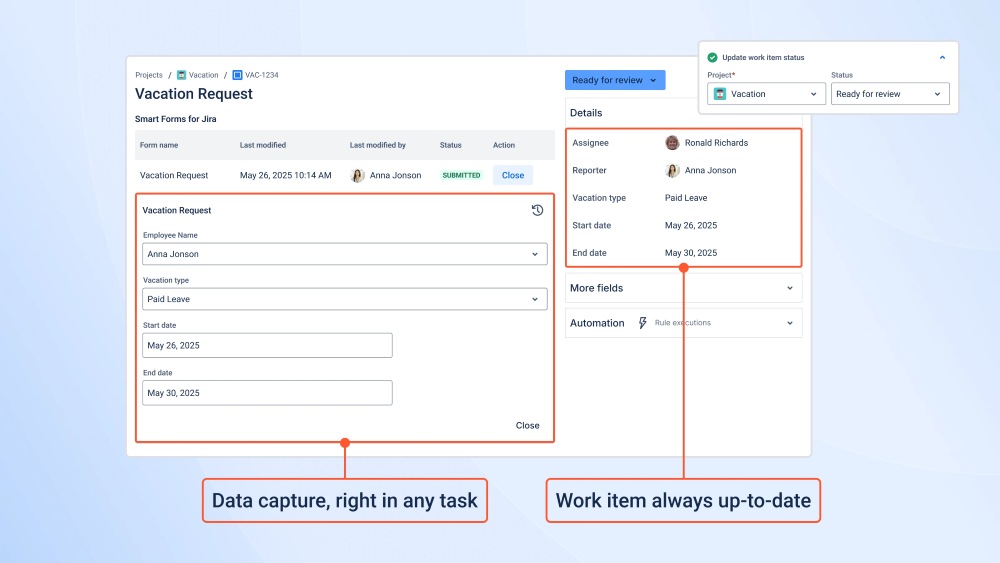
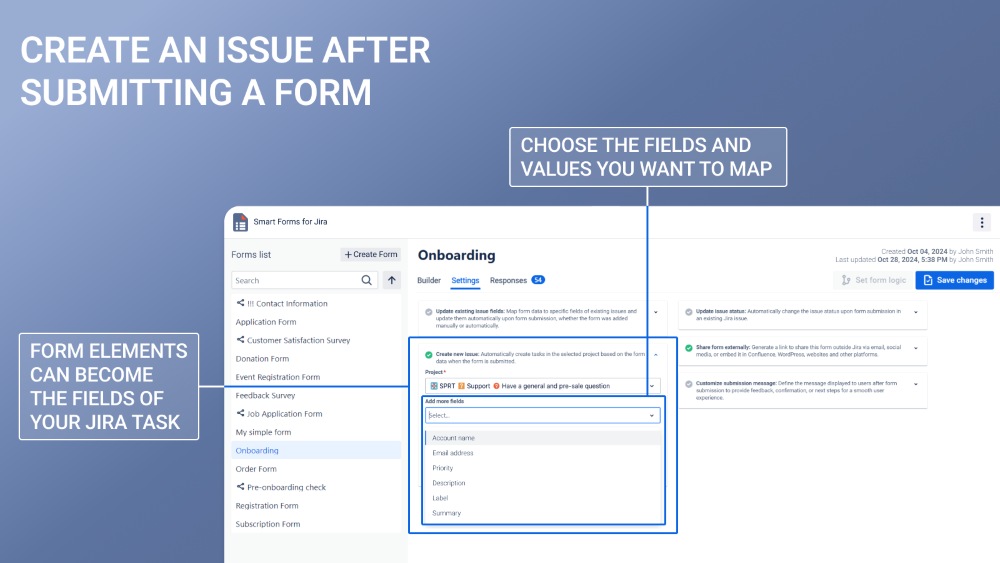
Create and update work items can be used to transform form submissions into new Jira work items or to progressively enrich existing ones by mapping responses to native Jira fields in any project or issue type, for example creating a feature request or service ticket from an intake form and later updating priority, impact, ownership, or additional details through follow-up or clarification forms without manual data entry.
Benefits:
- Create Jira issues, JSM requests, or JPD ideas from form inside work item or shared externally
- Update existing work items with new or missing information
- Map form data to standard Jira fields in flexible combinations
- Keep work items structured and actionable from the moment they are created
Smart Forms for Jira - Pre-Fill Form Elements with Work Item Fields
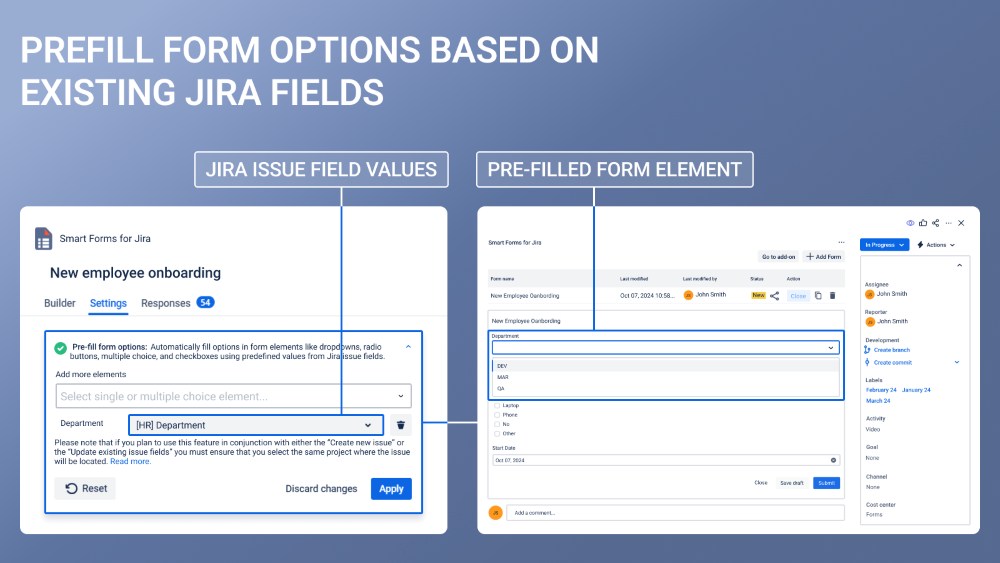
Pre-fill form elements can be used to reuse existing work item data inside forms so users are not asked to re-enter information that already exists in Jira, making it ideal for clarification, approval, or feedback scenarios where forms are sent back to users with ticket details, request context, or previous selections already populated for accuracy and convenience.
Benefits:
- Avoid asking users to re-enter information Jira already has
- Maintain consistency between forms and Jira work items
- Speed up form completion for internal and external users
- Improve data accuracy by reusing existing field values
Smart Forms for Jira - Custom Submission Messages
Custom submission messages can be used to provide clear, contextual confirmation immediately after a form is submitted, allowing teams to communicate next steps, expected timelines, reference IDs, or follow-up instructions, for example informing a requester that their approval is in progress or that their ticket has been successfully created and routed to the correct team.Messages can provide work item links so people can track their requests.
Benefits:
- Confirm successful submission with context
- Communicate next steps or expectations immediately
- Personalize responses using submitted values
- Reduce follow-up questions from requesters
Smart Forms for Jira - Conditional Logic and hidden fields
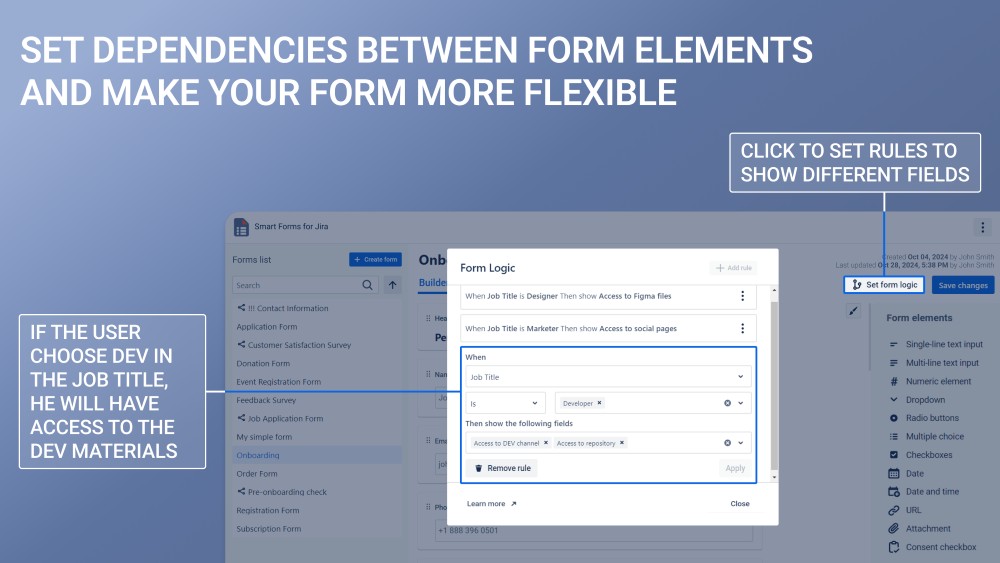
Conditional logic and hidden fields can be used together to build adaptive, context-aware forms that dynamically change based on user input while silently capturing internal routing, categorization, or automation data in the background, such as showing different sections based on request type or role while automatically assigning teams, labels, or internal values used later for automation and reporting.
Benefits:
- Replace multiple static forms with one adaptive form
- Show users only relevant questions and information
- Keep forms clean and easy to fill out
- Support routing, labeling, and categorization logic