SaaSJet - Issue History for Jira
Provides a complete audit trail for every change made to Jira issues. It tracks field updates, transitions, and even deleted issues, ensuring full transparency and data integrity for compliance and security auditing.
Complete Work Item History Reports
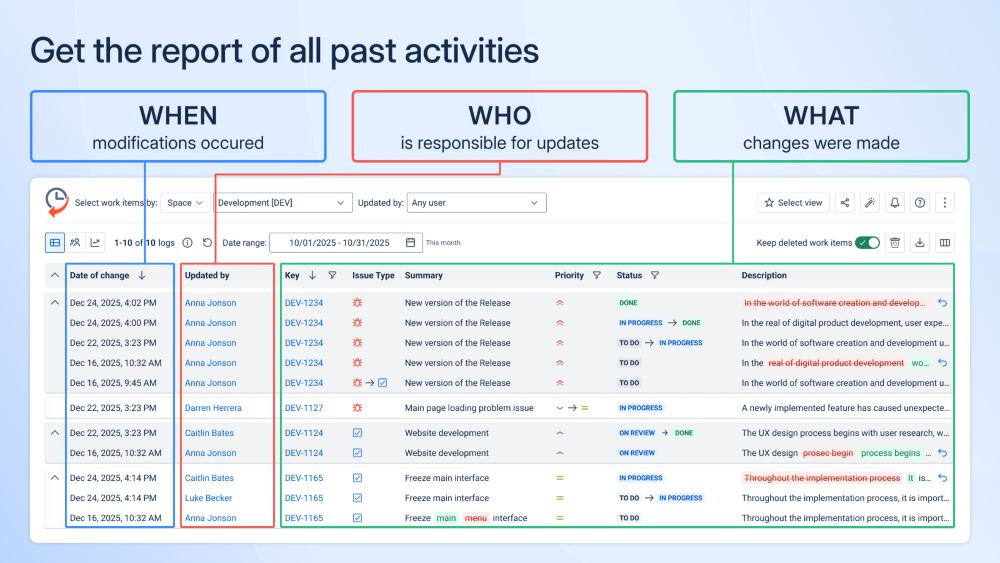
Issue History for Jira provides a consolidated view of how work items change over time across projects. It captures what changed, when the change occurred, and who made it, all in a single report. This helps teams quickly understand the full lifecycle of a work item without manually reviewing Jira activity. The feature supports faster reviews and clearer accountability when questions arise about past changes.
Benefits:
- Full change visibility in one place: See all work item changes in a single view.
- Faster investigations and reviews: Identify change timelines and responsible users at a glance.
- Better workflow insights: Identify where changes happen most and how work items move through statuses.
- Reduced manual effort: Eliminate time-consuming work item checks and manual tracking.
Audit-Ready Work Item History Export
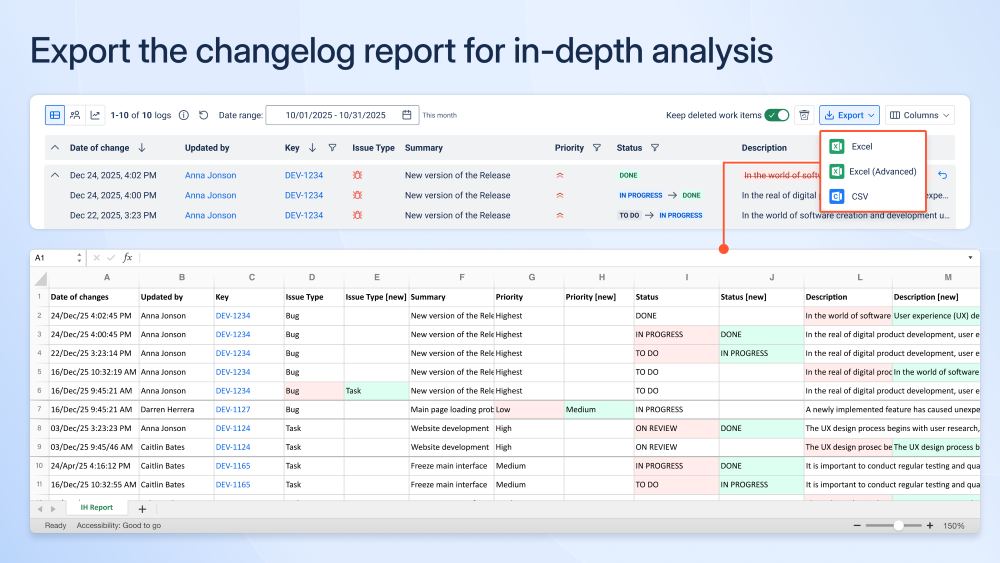
Issue History for Jira enables teams to export complete work item history reports for use outside Jira. Exports include full, structured change details, making it easy to review, analyze, and share historical data with broader audiences. This is especially valuable for audits, compliance reviews, and situations where clear evidence of changes is required. By supporting common formats such as Excel, CSV, and PDF, the feature allows teams to work with history data in the tools they already use.
Benefits:
- Deeper analysis outside Jira: Work with history data in spreadsheets and external tools.
- Audit and compliance support: Provide clear, structured evidence of changes when required.
- Easy sharing with stakeholders: Share reports with teams who don’t need Jira access.
- Flexible reporting formats: Choose the format that best fits your analysis and reporting needs.
Deleted Work Item Tracking & Restore
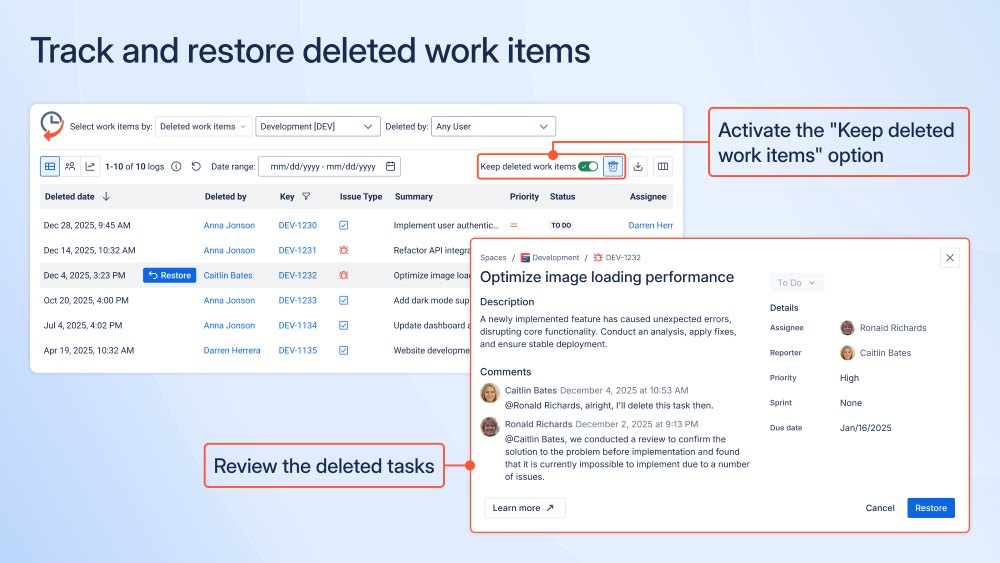
Issue History for Jira tracks deleted work items, providing visibility into what was deleted, when the deletion occurred, and who performed the action. This ensures teams have a clear record of deletions, including accidental or unauthorized actions. When needed, deleted work items can be restored, helping teams recover critical data without disruption. Together, tracking and restore capabilities reduce operational risk and help maintain continuity and accountability.
Benefits:
- Faster work item recovery: Quickly restore deleted work items when needed.
- Reduced operational risk: Minimize the impact of accidental or unauthorized deletions.
- Audit confidence: Support audits with clear evidence of deletion and recovery actions.
- Business continuity: Ensure critical work item data is not permanently lost.
Sensitive Data Detection in Work Items and Their History
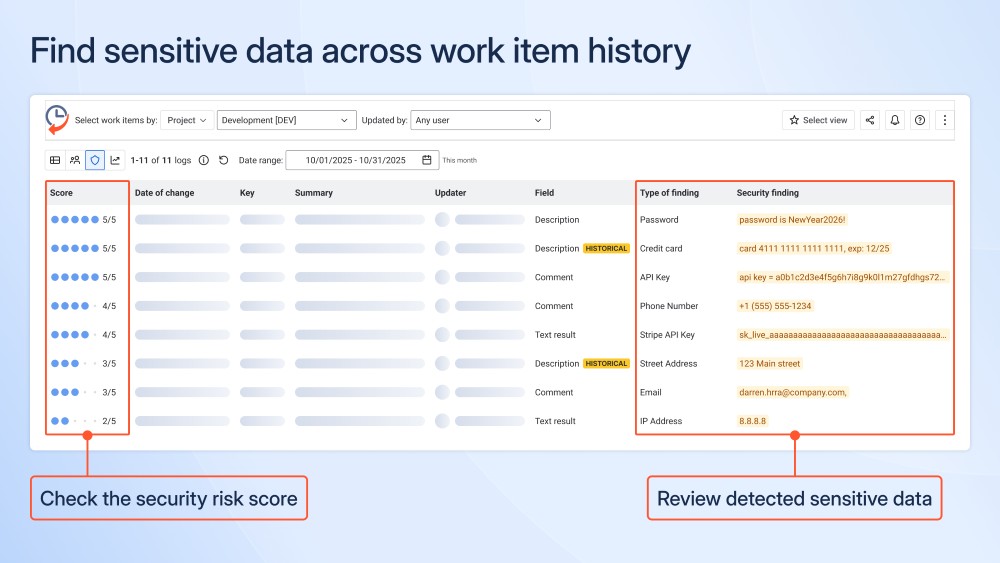
Issue History for Jira scans work items and their change history to identify the presence of sensitive data across fields, comments, and historical updates. It detects common types of sensitive information, including passwords, API keys, credit card numbers, email addresses, and IP addresses. By analyzing both current content and past changes, the feature helps uncover hidden security risks that may otherwise go unnoticed. This enables teams to proactively address sensitive data exposure and reduce the likelihood of security and compliance incidents.
Benefits:
- Early risk detection: Identify sensitive data exposure before it becomes a security incident.
- Visibility into historical risks: Detect sensitive data not only in current content, but also in past changes.
- Clear risk prioritization: Use security risk scores to focus on the most critical findings first.
Bulk Change Revert
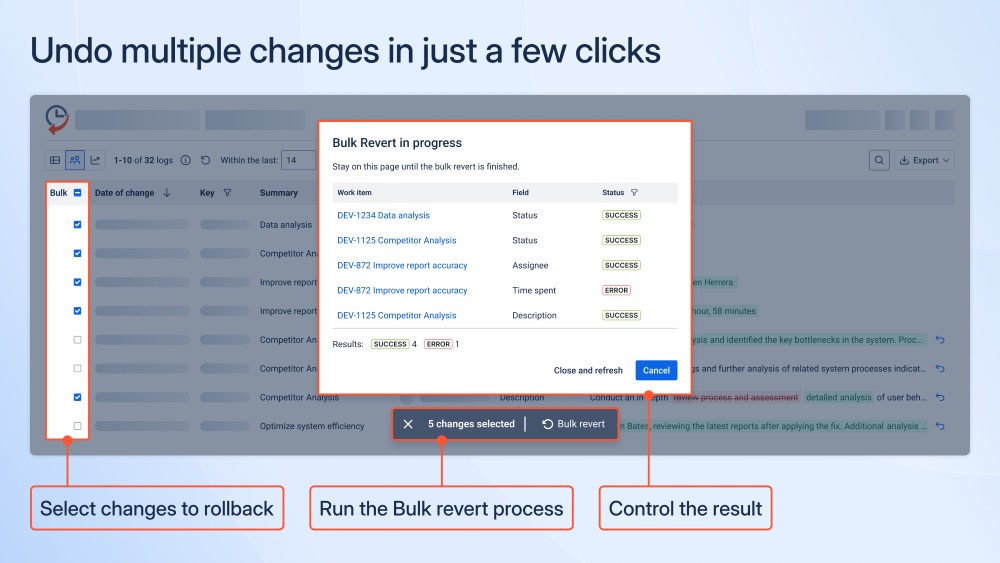
Issue History for Jira allows teams to undo multiple work item changes in bulk, providing a controlled way to roll back incorrect updates. Users can select specific changes across multiple work items and revert them in a single action. This is especially valuable after bulk updates, automation runs, or scripted changes that produce unintended results. By enabling fast and controlled recovery, the feature helps teams restore data accuracy and maintain operational stability.
Benefits:
- Fast error correction: Roll back multiple incorrect changes in just a few clicks.
- Reduced manual effort: Avoid time-consuming, individual change reversions.
- Controlled recovery: Review success and error results for each reverted change.
- Operational stability: Quickly restore correct data after bulk updates or automation problems.
Dynamic Status Chart Gadget
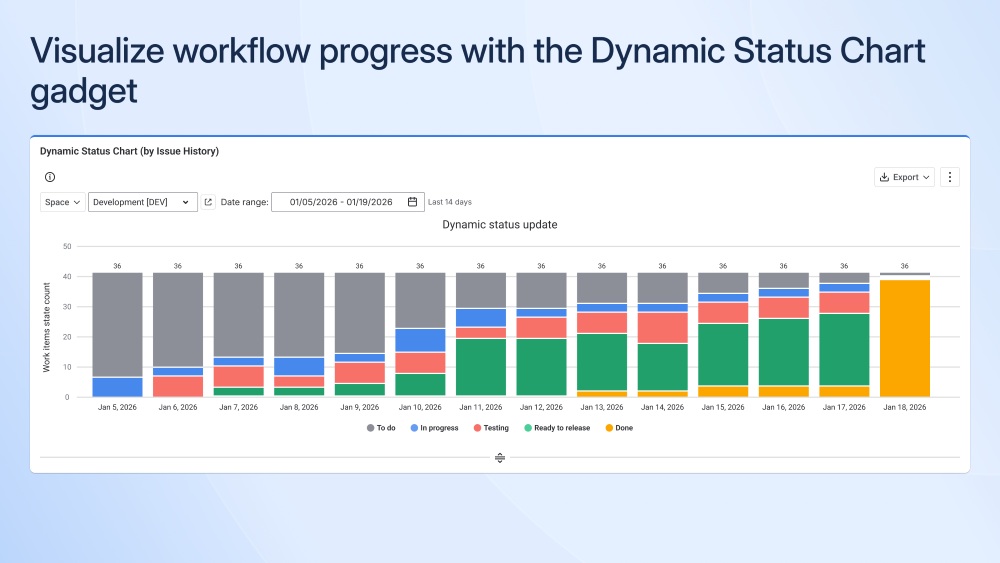
The Dynamic Status Chart gadget visualizes how work items move through workflow statuses over time. It displays the number of work items in each status for every day within a selected date range, making trends and shifts easy to understand. This helps teams track progress, identify slowdowns, and understand how work is distributed across the workflow. By providing a clear, time-based view of status changes, the gadget supports more informed reviews, planning, and stakeholder discussions.
Benefits:
- Clear workflow visibility: See how work items are distributed across statuses day by day.
- Progress tracking over time: Understand how work moves through the workflow.
- Bottleneck identification: Spot stages where work accumulates or slows down.
- Better reporting for stakeholders: Use visual status trends to support reviews, planning, and decisions.