Deviniti - Issue Templates for Jira
Speeds up the creation of complex or repetitive tasks by allowing users to instantly populate issues with pre-defined structures, fields, and sub-tasks.
Issue Templates for Jira
With the Issue Templates for Jira Cloud app, teams can easily standardize their processes, ensuring that every issue is created with the necessary information and structure. This not only saves valuable time but also reduces the likelihood of errors that can occur when manually entering details for each new issue. The ability to recreate issues along with their sub-tasks and linked issues further simplifies project management, enabling teams to replicate successful workflows effortlessly.
Benefits:
- Ready-made templates for repetitive tasks
- Ability to create and edit your own templates with complex hierarchy (epic, stories, tasks, subtasks)
- Ability to set a default template for particular issues
- Ability to configure all template fields with conditions adjusted to your project (set of fields, staged subtasks)
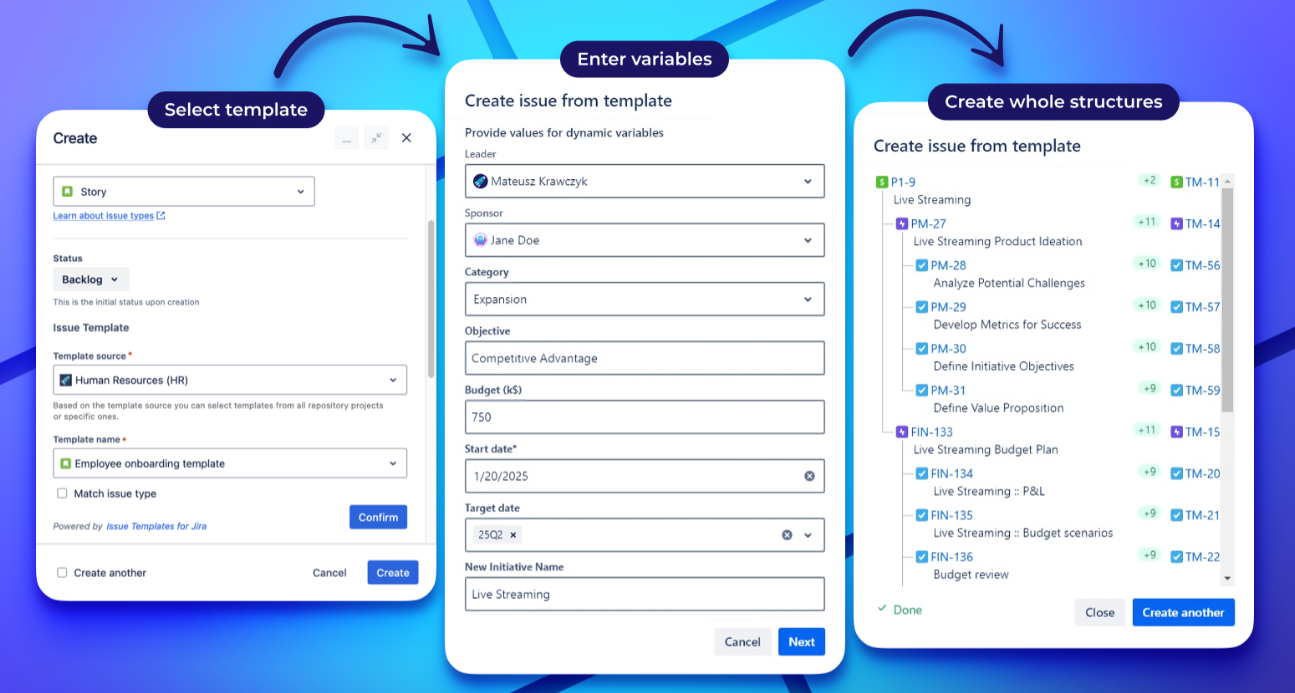
Create repetitive issues and complex issue structures in no time.
Reduce time spent on creating issues by hand. Create recurring Jira issues and the whole issue structures with just a few clicks.
Benefits:
- Ability to create Jira issues with already pre-populated fields, sub-tasks, and linked issues.
- Easy cloning of the whole Epics from templates. Create complex structures in minutes, no matter the size.
- Ability to create issues with dynamic content. Make tickets match your project’s needs, while still containing all the necessary information.
- Wide range of fields supported by dynamic variables. Reduced user errors.
Prevent the risk of errors and lack of information
Provide your team with perfectly described tasks every time. Improve collaboration across your company.
Benefits:
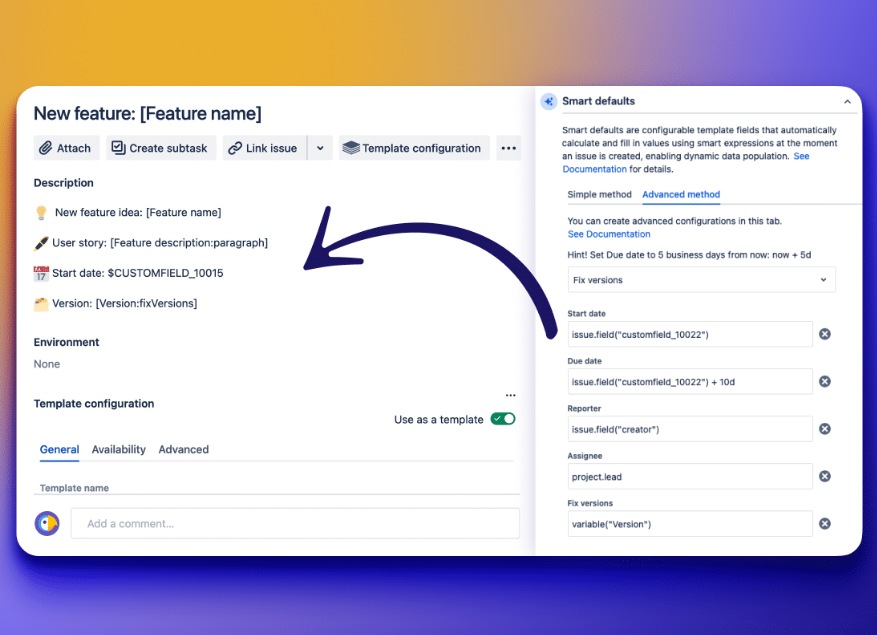
- Autocompletion of common fields on issues.
- Ability to apply templates to existing tickets to standardize content across your Jira instance
- Smart Defaults feature to copy field values from parent issues to their subtasks.
- Automatic assignment of tasks to the appropriate team member.
Make the most of Jira’s advanced features
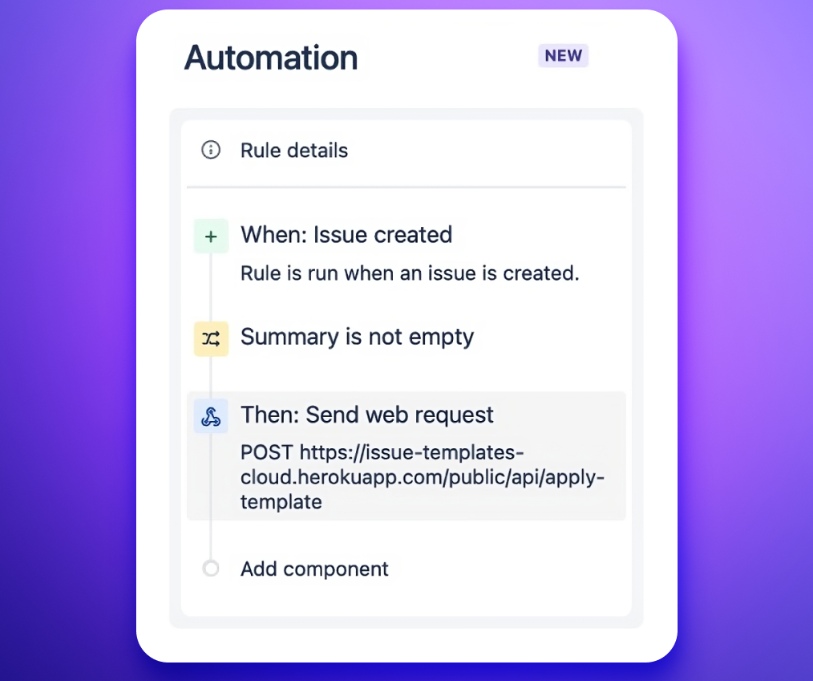
Automatically apply templates to your Jira tickets right after creation.
Benefits:
- Ability to schedule issue creation from templates after specific actions.
- Seamless integratation of your Jira with external tools, such as Zapier, Jenkins, or Bitbucket.
- Simple definition of who can see the specific elements of the app’s interface. Make sure only authorized team members use templates.
- Easy management of large template libraries with full control over availability and usage.