Deviniti - Dynamic Forms for Jira

Deviniti - Dynamic Forms for Jira

Provides customers with a highly customizable "My Requests" page where they can filter, search, and view specific columns for their submitted tickets.
Step 1 of 4

Dynamic Forms for Jira

Dynamic Forms for Jira helps you simplify and optimize the issue management process by adapting forms dynamically based on user input. Instead of displaying long and overwhelming forms, users only see the fields that are relevant to their choices, which helps reduce errors and speeds up data entry.

Dynamic Forms for Jira Dynamic Forms for Jira

Benefits:

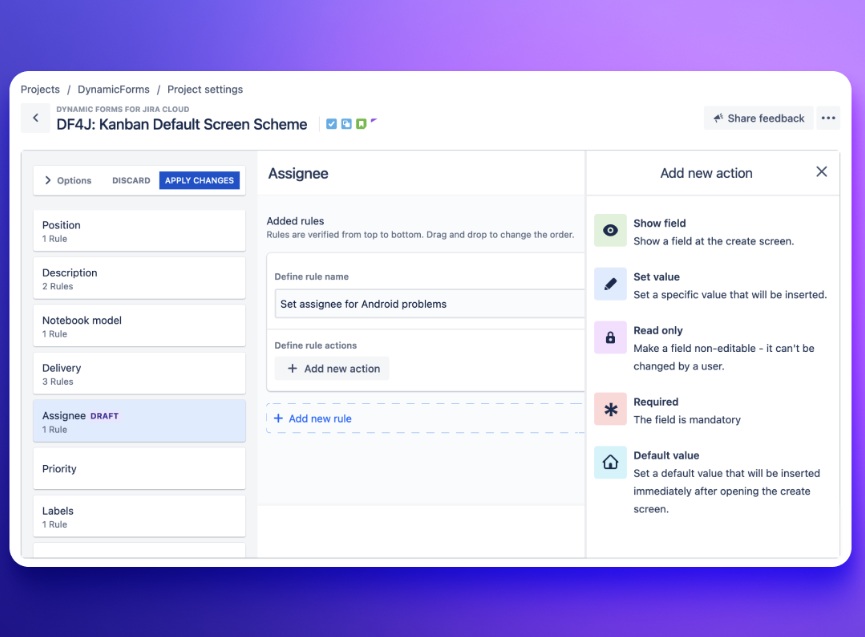
  • Ability to create project configuration for the whole project.
  • Ability to create a global configuration that you can reuse for multiple screen schemes.
  • Ability to create configuration for issue types in team-managed projects.
  • Ability to create configuration for transition screens - manage fields of issues with different statuses.
Step 2 of 4

Create dynamic and intuitive forms in Jira.

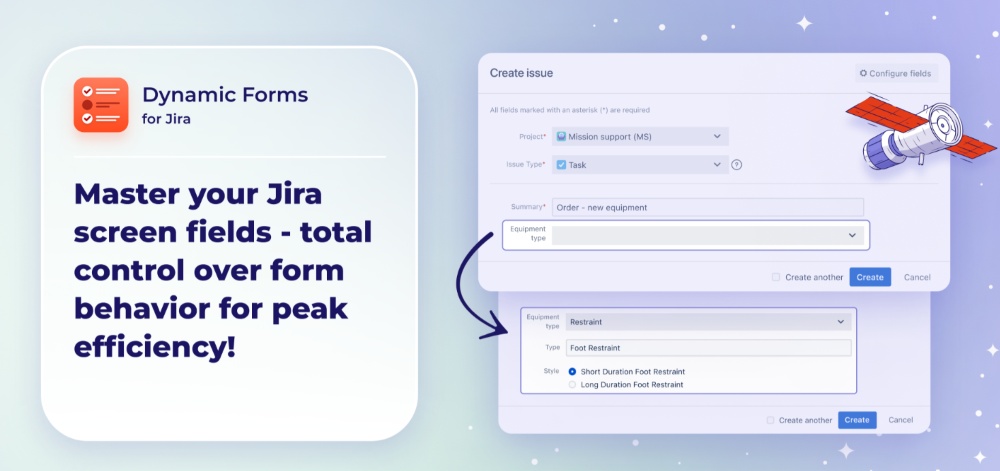
Simplify form filling. Create custom forms to fit your requirements. Capture the info you want with forms that are clear and easy to navigate.

Create dynamic and intuitive forms in Jira. Create dynamic and intuitive forms in Jira.

Benefits:

  • Reduction of long forms: Create intuitive and tailored form-filling experiences.
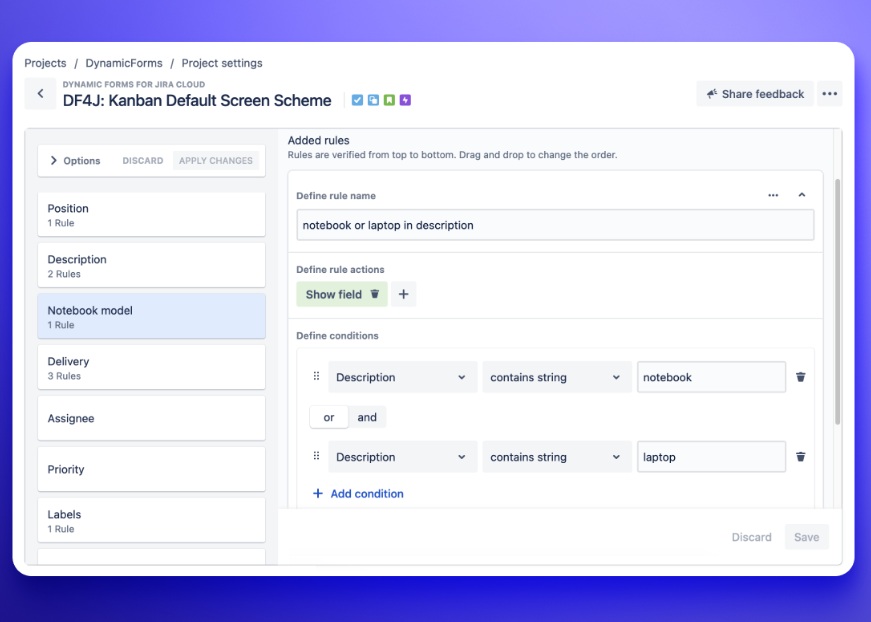
  • Ability to display only context-relevant Jira fields Use Visibility Rules to display fields based on user user selections.
Step 3 of 4

Data validation and consistency

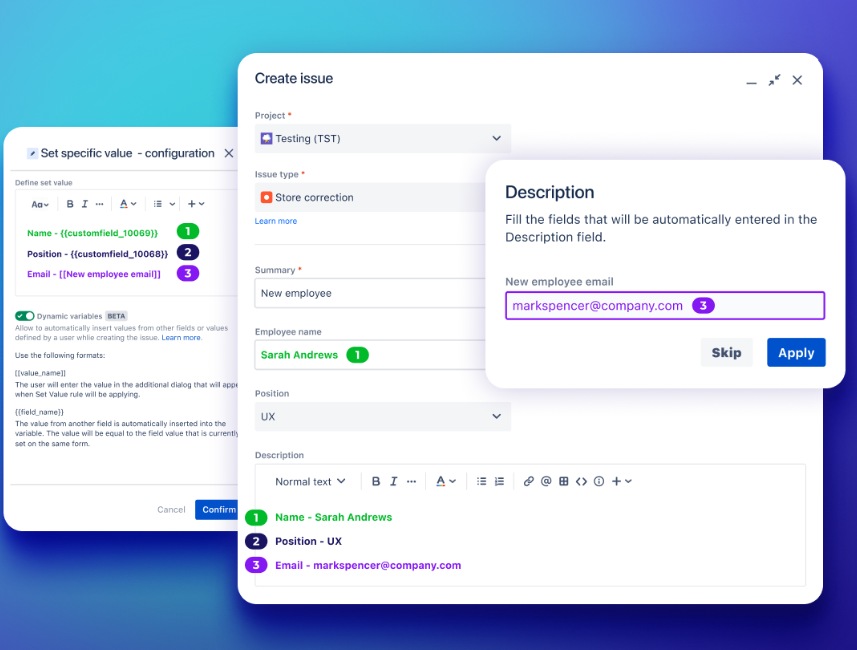
Insert values from other fields or user input. Automate data entry and eliminate manual errors.

Data validation and consistency Data validation and consistency

Benefits:

  • Ability to define user or field-based variables for text fields. Provide greater flexibility and control over data input. Use user input in additional dialogs or automatically pull values from other fields.
  • Ability to set fields as required or read-only. Ensure complete and accurate data capture. Set fields Required or Read-only to enforce validation rules.
  • Ensured accuracy of data entry. Leverage Set value and Default value for fields as constant or variable. Define the format for entering accurate data.
  • Keeping data organized and reduced field clutter. Build structured forms effortlessly by bundling multiple fields into one custom field.
Step 4 of 4

Create reusable templates

Streamline your issue creation process. Use reusable templates to create issues quickly and consistently.

Create reusable templates Create reusable templates

Benefits:

  • Reduced errors and saved time. Configure necessary fields with the most common or required information, reducing the need for manual data entry. Use them as a template to save time.
  • Simplified issue creation process. Automate repetitive tasks. Provide an intuitive experience for your team to create issues.