Deviniti - Active Directory for Jira Service Management

Deviniti - Active Directory for Jira Service Management

Connects on-premise Active Directory to Jira Service Management, allowing agents to view user contact details and manage AD accounts without leaving the ticket.
Step 1 of 3

Active Directory Attributes Sync

Synchronize user attributes from Active Directory to Jira. Maintain accurate and consistent user data across both platforms. Ensure data consistency and integrity within Active Directory and Jira. Connect your Active Directory domain with Jira. Sync user attributes for up-to-date information.

Active Directory Attributes Sync Active Directory Attributes Sync

Benefits:

  • Data consistency and integrity
  • Connect to your Active Directory domain. Synchronize user attributes such as name, email address, phone number or department.
  • Selective attributes sync
  • Select specific Active Directory attributes to sync with Jira. Provide flexibility and control over the synchronized data.
Step 2 of 3

Manage users and their attributes

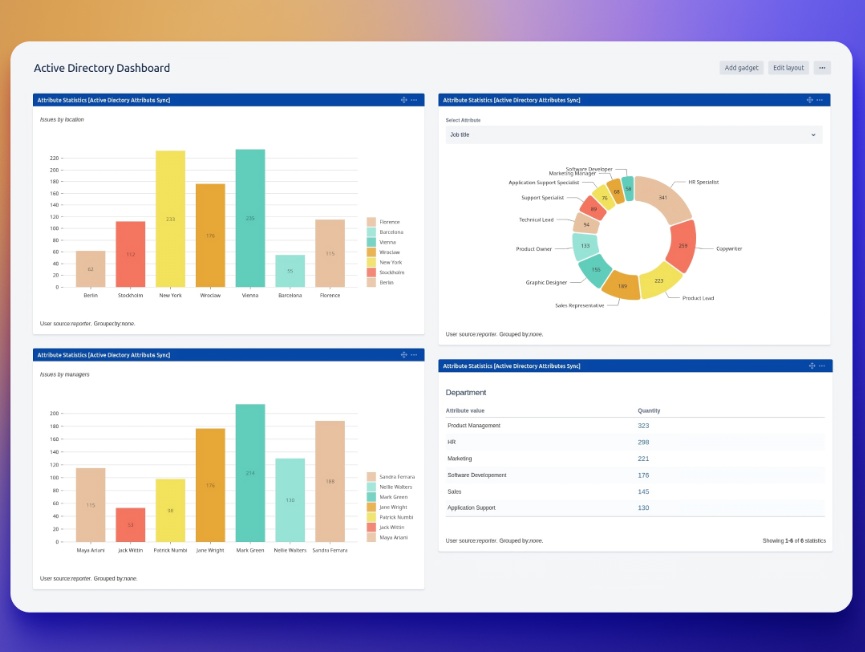
Manage users in Active Directory directly from Jira. Simplify and centralize user attribute modifications and searching. Create, modify and delete users in Active Directory from Jira. Provide advanced issue searching by enabling the use of user attributes (e.g. easily find all Jira issues raised by users from HR department). Offer targeted and enhanced filtering capabilities.

Manage users and their attributes Manage users and their attributes

Benefits:

  • Update of user information in Jira based on changes to user attributes in Active Directory. Create new users in Jira based on user attributes in Active Directory.
  • Managing user attributes
  • Simplify and centralize user attribute modifications in Active Directory directly from Jira. Automate self-service processes and eliminate AD admin overload.
  • Search for data with custom JQL
Step 3 of 3

Use synchronized data

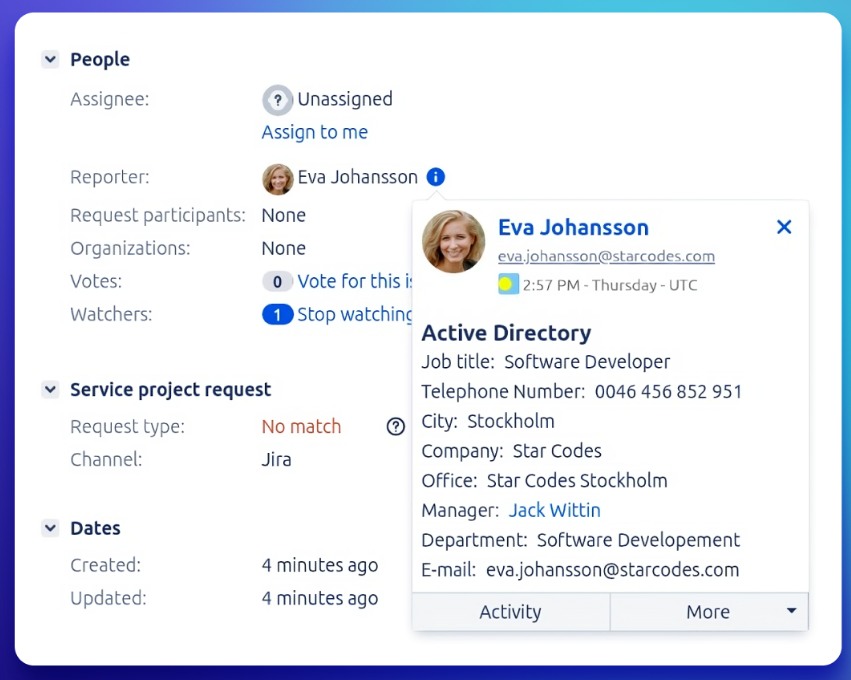
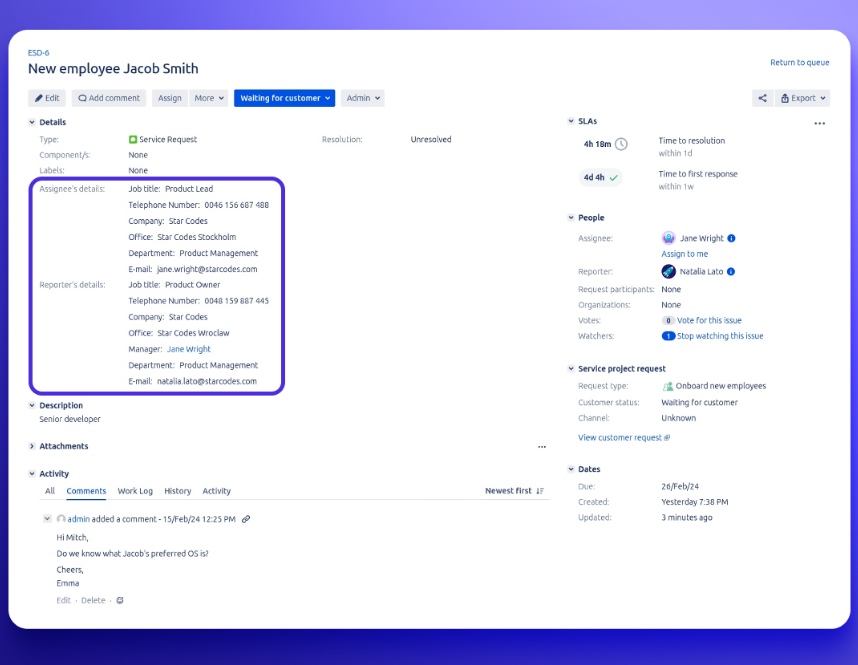
Use synchronized data within Jira. Display it in several places in Jira and control access. Show Active Directory user attributes on issue and request views, the user’s profile page, or the user’s hover profile. Copy them to custom fields to use with Automation.

Use synchronized data Use synchronized data

Benefits:

  • Ability to show contextual information for efficient issue handling.
  • Ability to control the visibility of attributes depending on the group.
  • Specify the visibility of selected attributes for the intended people.
  • Use data in notifications. Inject user’s attributes from Active Directory into e-mail templates.