Deviniti - Actions for Jira Service Management
Empowers customers to perform self-service tasks on the portal, such as editing submitted requests, saving drafts, and providing required details during workflow transitions.
Actions for Jira Service Management
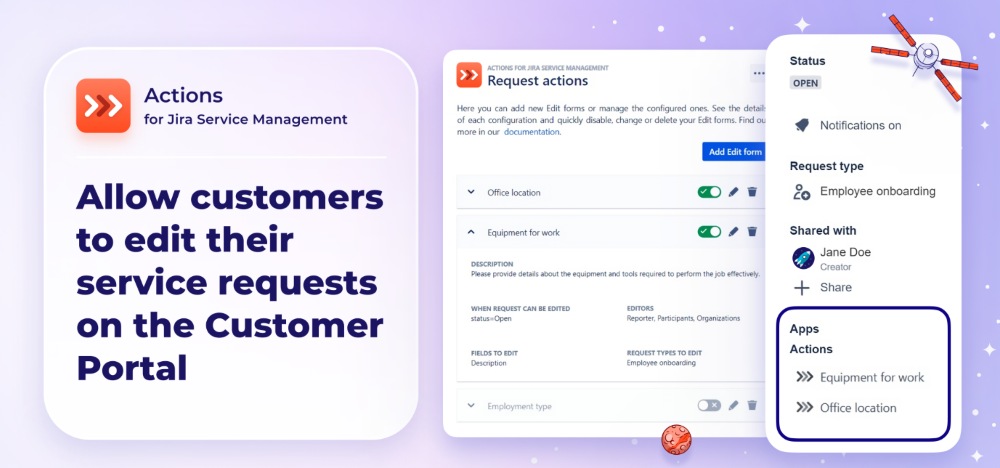
The Actions for Jira Service Management app helps you improve processes and create a smoother Customer Portal experience. Build Request actions that let customers edit their requests directly on the portal, and Workflow actions that allow updates during workflow transitions. By empowering customers to manage their own requests, you reduce agent workload and keep your team focused on resolving issues. Every change can be tracked with internal comments, ensuring full visibility for agents. With Request progress, customers can see which stage their request is in, improving transparency and communication throughout the process.
Benefits:
- Ability to create Request actions that allow your customers to edit requests directly on the Customer Portal.
- Ability to configure Workflow actions that allow users of your Customer Portal to edit their requests on relevant transitions.
- Ability to create Request progress configurations that allow customers to track which stage their requests are in.
- Ability to manage Request actions, Workflow actions and Request progress by determining their content, editing permissions, and visibility on the Customer Portal.
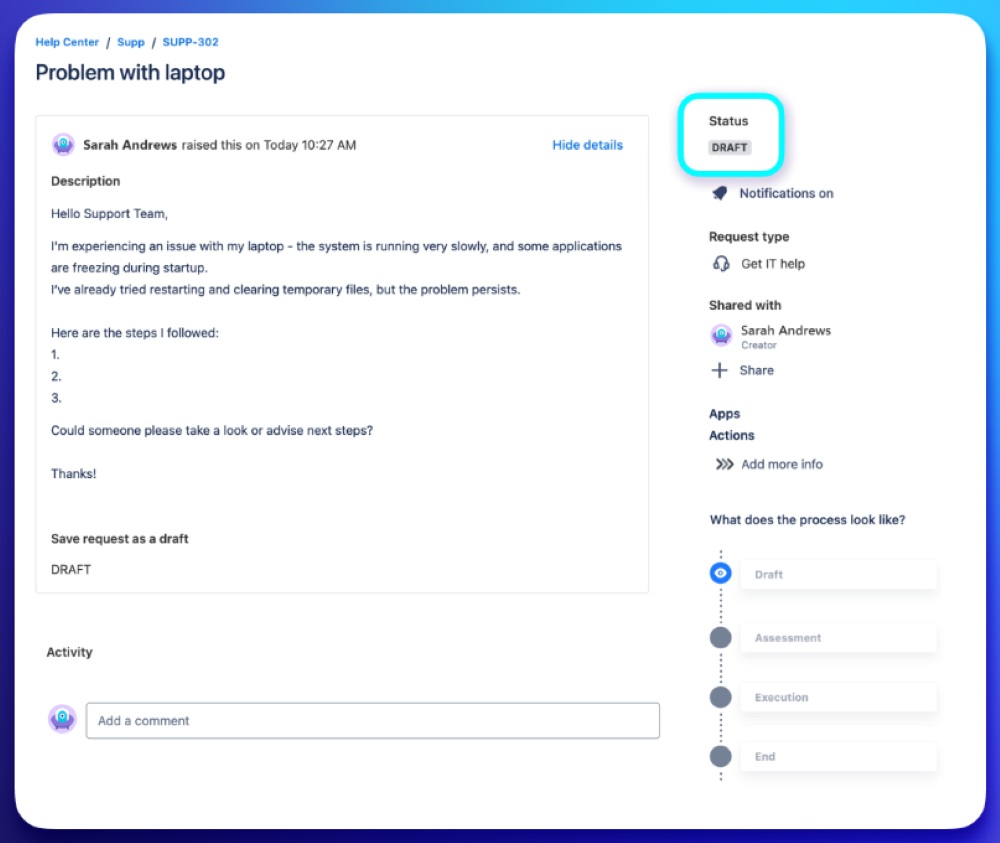
Stop incomplete requests from entering your workflow. Save requests as drafts in JSM.
Someone needs to create a service request — a laptop, an onboarding, an approval, anything. But they don’t have everything your support team needs yet. Normally? They’d submit it anyway, and your agents would chase the missing pieces. With Actions, the request doesn’t enter your queue incomplete:
Benefits:
- The user can save it as a draft instead of submitting too early.
- A manager or teammate can help fill in their part before it’s sent.
- Your team only sees requests that are already reviewed and complete — not half-finished forms.
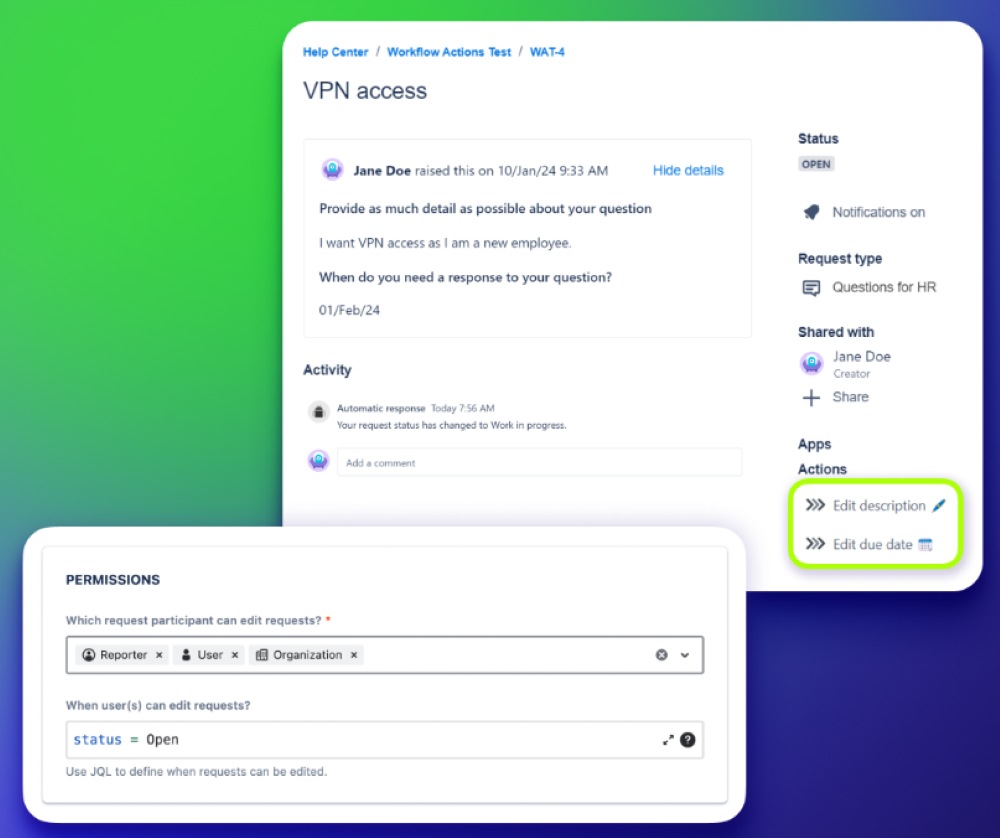
Let users edit already-submitted requests Edit open request’s fields
Even with perfect forms and clear instructions, mistakes happen: wrong urgency, outdated start date, or incorrect hardware type. Normally, fixing these requires agents to step in, ask clarifying questions, manually update fields, and sometimes reopen the request. It’s slow, noisy, and frustrating for everyone.
Benefits:
- If something is wrong after submission, the user can safely edit the request themselves — but only the fields you allow.
- Admins decide which fields can be edited, when, and by whom. Everything else stays protected.
- Every edit is recorded automatically, so agents always know what changed.
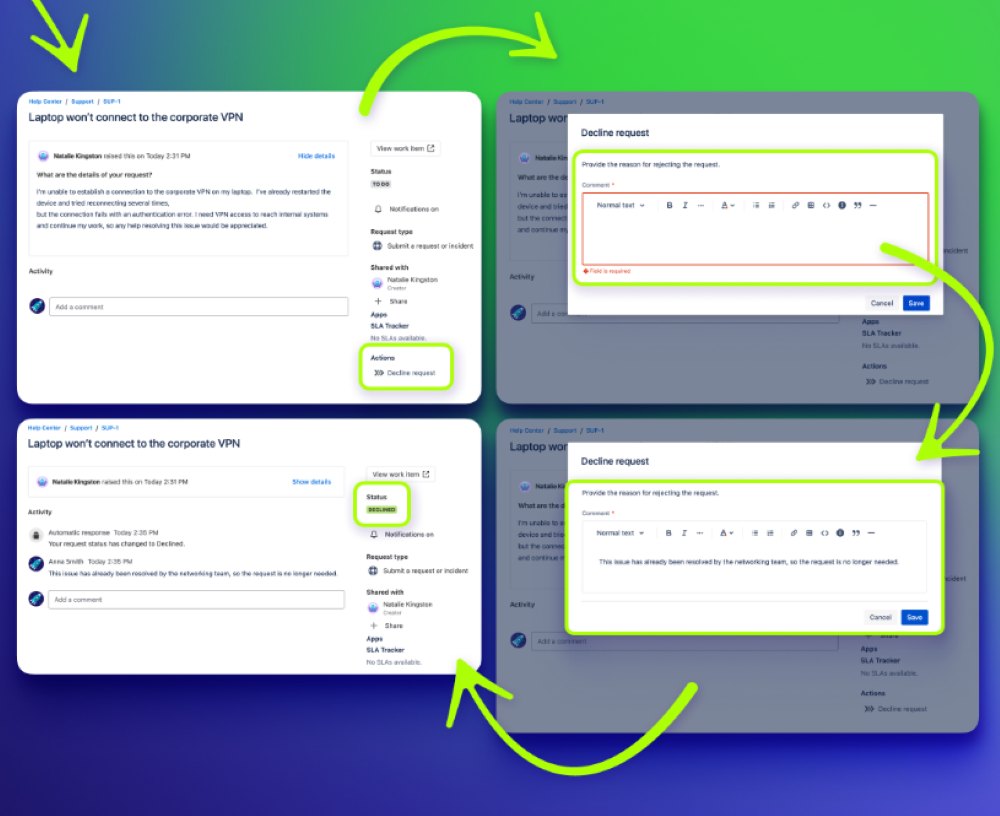
As the request moves, Actions collects the exact info your team needs. Enforce required fields on JSM forms.
Once the request leaves Draft and starts moving through the workflow, Actions makes sure every step gets the right data. This means: No guesswork. No holes. No “why was this approved?” And no chasing missing fields later.
Benefits:
- Need a comment before resolving? It’s required.
- Need impact or justification before approving? Required.
- Want to prevent someone from escalating too early? Show “Escalate” only after X days.
- Actions shows a simple form at transitions and won’t let the request move until everything is filled in correctly.
Controlled and transparent request editing
Track changes of requests with internal comments. Enable agents to track the evolution of issues and identify potential problems.
Benefits:
- Tracking changes in real-time
- Staying informed about changes made to requests by your customers. Utilize internal comments to access detailed editing history.
- Your information stays safe and secure