InversionPoint - Assets Reservation from JSM Portal

InversionPoint - Assets Reservation from JSM Portal

Streamline resource scheduling with a visual timeline. Allow users to reserve equipment, rooms, or hardware directly from the Jira Service Management portal with built-in conflict prevention.
Step 1 of 3

Enable Reservations for Your Jira-Backed Assets

Book assets, equipment, facilities, tools and people’s time via JSM portal. Streamline reservation processes for your employees and customers. One-window booking solution for both JSM Assets and Jira work-items.

Enable Reservations for Your Jira-Backed Assets Enable Reservations for Your Jira-Backed Assets

Benefits:

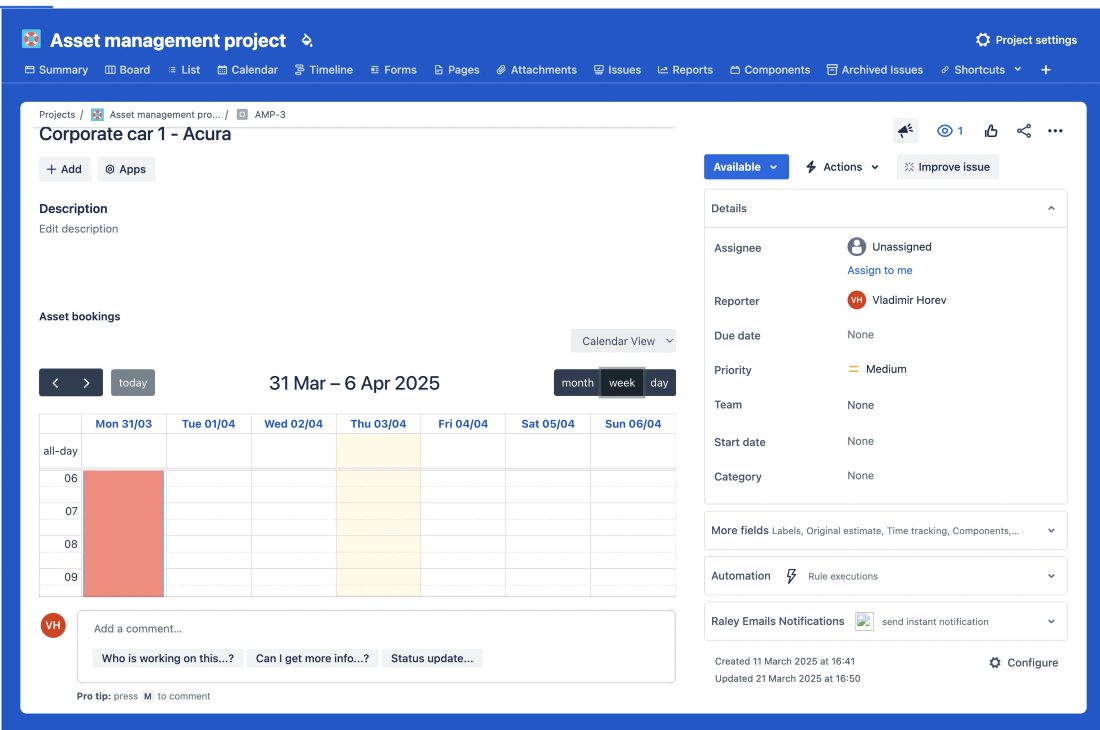
  • Support for assets backed by Jira work-items and JSM Assets
  • Supports both: Asset first or Time-first principle. You can start either from preferred asset or from preferred time
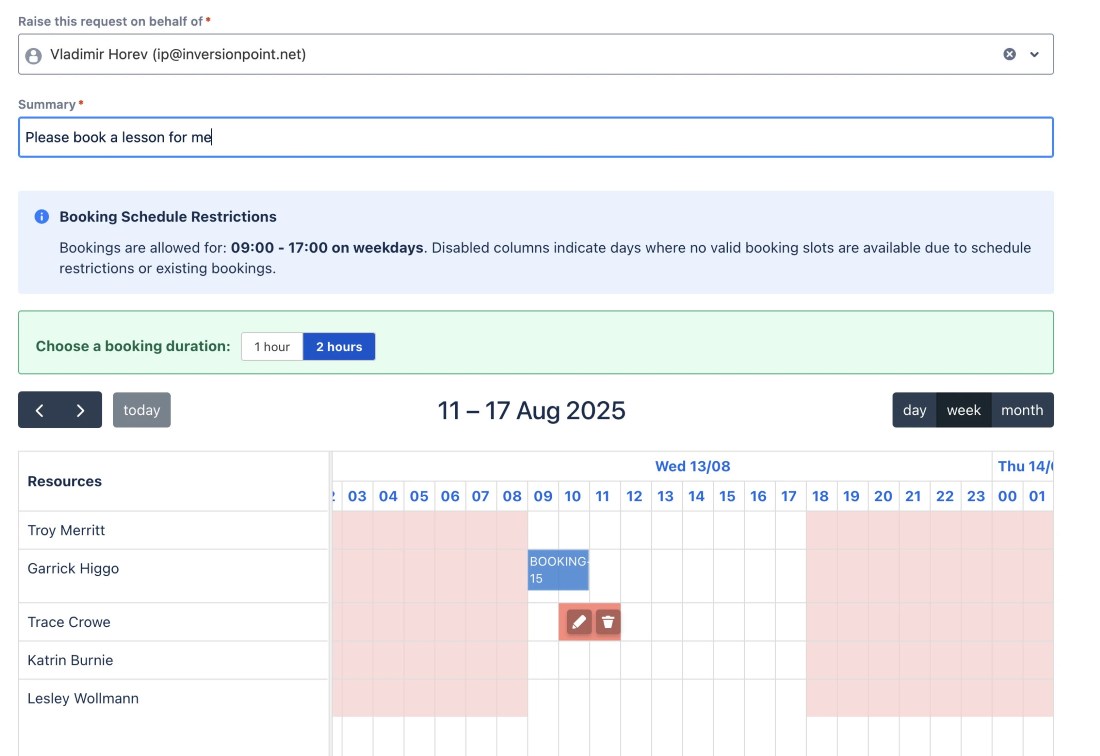
  • Timeline view on available booking slots to find the best asset-booking time combination
  • Datacard for bookable resources with Asset photos and other key information
Step 2 of 3

Improve Resource Allocation

Prevent over and double-booking with help of intuitive resource view on assets availability. Specify reservation schedules and durations to ensure on-time delivery and reduce downtimes. Plan and book ahead with confidence.

Improve Resource Allocation Improve Resource Allocation

Benefits:

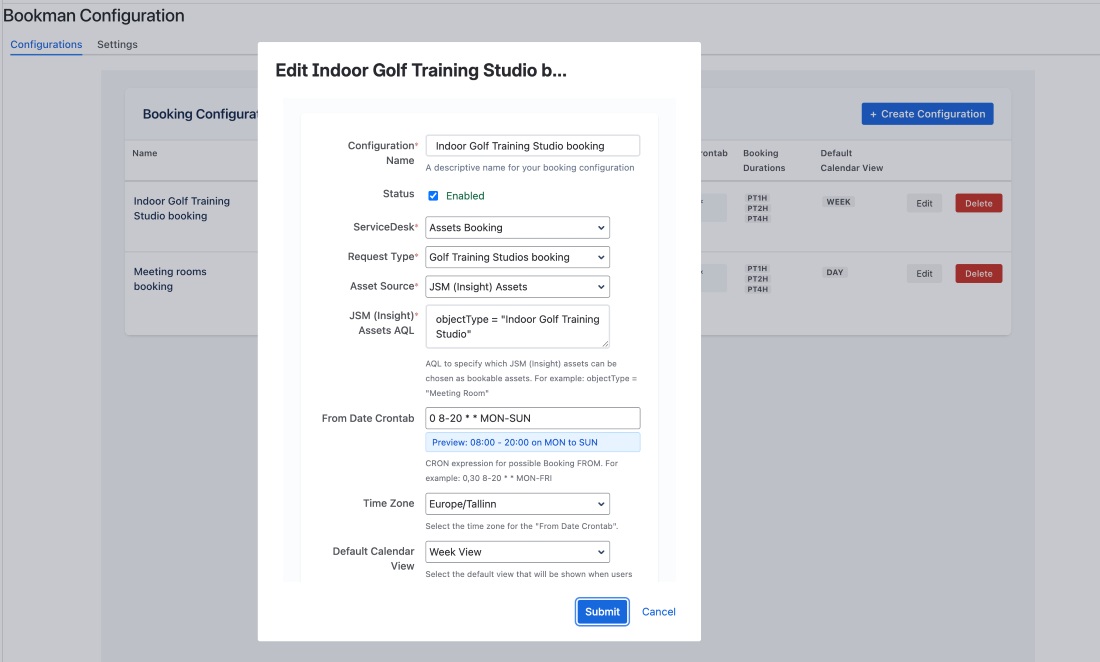
  • CRON-based booking schedule enables to enforce specific timeslots when a resource can be booked
  • Multiple booking durations or freeform booking from and to
  • JQL and AQL subset of Jira issues/JSM assets eligible for bookings
  • Automatic prevention of double bookings for the same resource
Step 3 of 3

Monitor Assets Usage

Gain insights from usage patterns for better decisions on resource allocation and future investments. Make users accountable for the booked assets. Track booking history to improve operational efficiency and reduce cost.

Monitor Assets Usage Monitor Assets Usage

Benefits:

  • Calendar and list view on resource utlilization
  • Support for check-in and check-out when receiving/returning items in JSM ticket
  • All booking history for resource is available on it’s Jira item view